1
closed to a retained earnings account at the end of the year, the posting type must
be set to Profit and Loss. Use the Account Maintenance window if you must change
the posting type for an account. NOTE: Unit accounts act as if they are Balance
Sheet accounts and their balance will be brought forward.
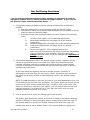
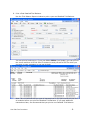
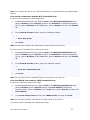
Follow these steps to print an account list:
a. Open Smart List and click Accounts.
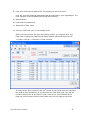
b. The optimal columns to show are Account #, Account Description, Posting
Type, Account Category Number and Active.
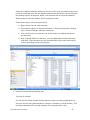
c. Click on the excel icon near the top of the Smart List window and export
the accounts.
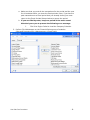
d. Note In Great Plains 8.0 and later, you can deactivate accounts that have
a balance. These accounts are still processed during the year-end closing
routine according to their posting type.
4. Close the last period of the fiscal year.
This step is optional.
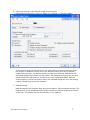
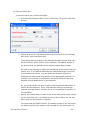
You can use the Fiscal Periods Setup window to close any fiscal periods that are
still open for the year (Administration>>Setup>>Company>>Fiscal Periods). This
prevents transactions from being posted to the wrong period or year.
Year End Close Procedures
-5-