1
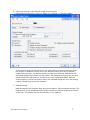
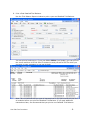
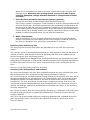
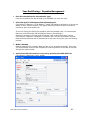
6. Verify the settings in the General Ledger Setup window.
(Microsoft Dynamics GP>>Tools >> Setup >> Financial >> General Ledger)
If you want to keep historical records, you must click to select the Accounts check
box and the Transactions check box in the Maintain History area of the General
Ledger Setup window. The account history lets you print financial statements and
calculated budgets from historical information. The transaction history lets you print
detailed historical trial balances and allows you view transaction detail. Both the
account history and the transaction history are updated during the year-end closing
routine if these check boxes are selected.
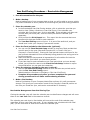
7. Make a backup.
Make a backup of all company data, and put the data in safe permanent storage. The
backup gives you a permanent record of the company's financial position at the end
of the year. The backup can be restored later if it is required.
Year End Close Procedures
-7-