1
Let’s move it one hex at a time. To do so right click an adjacent hex. If able to move it will
obey. The Status Bar will tell you why if not.
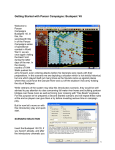
Now select another unit – the Motorized Infantry unit on the main road following the
motorcycle recon unit as shown. Let’s move it several hexes at once. To do so, with the
left mouse button down drag it to the indicated hex. The system will determine the path it
follows so it’s wise to drag smallish distances to keep control because with fog of war
active movement cannot be taken back.
Also note in this instance the unit moved across the stream even though the bridge is
shown as being destroyed. In this case the units merely forded the stream and paid a
movement penalty. However, you won’t be able to ford the darker blue river hexsides
without further engineer support but you can check that out later in the User manual.
(Tip: Clicking the Divisional Markings Button on the Toolbar will add color to your forces
based on the organizations they belong too).
Page 5