1
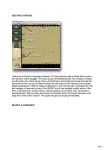
A dialog will appear showing any air units available. You will see the 3/StG.2 – an air unit
made up of Stuka Dive Bombers ready for orders. Click the air unit line in the dialog and
then ok. An air mission will be conducted against the selected hex and if successful its
combat results will be displayed on screen, first possibly Anti-Aircraft fire against your unit
and then the result of the bombing.
As you look around your remaining units you will find most of them to be "Fixed". This is a
state of readiness suggesting that at some stage in the scenario, the system may release
them to you. However there are a few you can move. For example, move your Panzer unit
forward to assist you next turn in capturing the Objective hex as shown here
Page 8