1
Operation Manual - Traffic Measurement
U-SYS SoftX3000 SoftSwitch System
Chapter 3 Traffic Measurement Operations
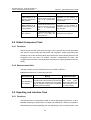
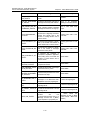
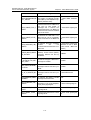
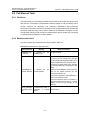
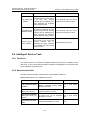
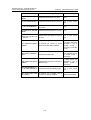
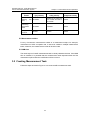
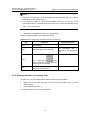
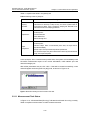
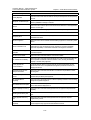
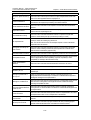
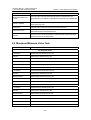
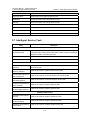
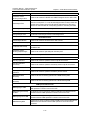
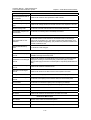
Table 3-8 Meaning of various status of traffic measurement task
Status
Meaning
Running
It indicates that a traffic measurement task is running currently.
Error
It indicates that a traffic measurement task is wrongly set.
Ended
It indicates that a traffic measurement task has ended.
Deactivated
It indicates that a traffic measurement task has been deactivated.
No objected instance
It indicates that a traffic measurement task has no measurement object.
Setup
It indicates that a traffic measurement task has been created successfully,
but the start time has not arrived set.
Undefined
It indicates that a traffic measurement task fails to be created in the host.
When a task is deactivated, it is deleted from the host, and its status will
be displayed as “Undefined”.
3.3 Querying or Dumping Measurement Task Result
3.3.1 Querying Measurement Task Result
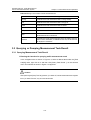
I. Entering the interface for querying traffic measurement result
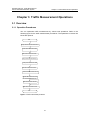
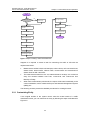
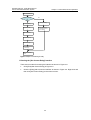
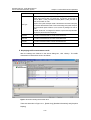
In the navigation tree as shown in Figure 3-2, select a desired task under the [Task
List(All)] node, right click on it and then click [Query Task Result…] on the shortcut
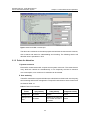
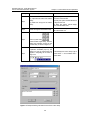
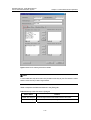
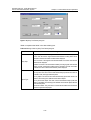
menu. An interface as shown in Figure 3-16 appears.
Caution:
When performing the [Query Task List] operation, if you select “All”, all tasks will be listed in the navigation
tree. If you select “Error task”, only error tasks will be listed.
3-21