1
www.pce-industrial-needs.com
Tursdale Technical Services Ltd
Unit N12B
Tursdale Business Park
Co. Durham
DH6 5PG
United Kingdom
Phone: +44 ( 0 ) 191 377 3398
Fax: +44 ( 0 ) 191 377 3357
[email protected]
http://www.industrial-needs.com/
Manual
Gamma-Scout
[email protected]
Summary ............................................................................................ 4
Side Data ............................................................................................ 5
Ray Selection Switch ........................................................................ 6
Radiation Measurement .................................................................... 7
Load and Limits ................................................................................. 8
Pulse Counting .................................................................................. 8
Pulse Rate Measuring ....................................................................... 9
Time and Date .................................................................................. 10
Battery and Power Supply .............................................................. 11
w/ALERT - Alarm Threshold ........................................................... 12
Counting of the (cumulative) dose ................................................ 12
Log Setting....................................................................................... 13
Data Reading and Display (TOOLBOX Software) ......................... 14
Data Reading and Display (TOOLBOX Software) ......................... 15
Technical Data ................................................................................. 17
Technical Data ................................................................................. 18
GAMMA-SCOUT® (ONLINE Model) ............................................... 18
Keywords ......................................................................................... 19
[email protected]
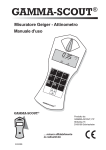
The design below intends to give a first approach to the different features. The controlling of the
GAMMA-SCOUT® via easy to read membrane switches makes it quite user friendly.
[email protected]
Summary
Features of GAMMA-SCOUT® Products
• Easy Reading: One push of a button is enough to start radiation measurement.
• Large Scale: GAMMA-SCOUT® is calibrated across a wide scale (0.01 up to 50.00 μSv/h).
• Not linear conversion of pulses to rate: Dose rate (μSv/h) from pulse rate is a non linear relation.
Instead of an approximation by a constant factor the conversion of the data is realized with a
non linear calculation within GAMMA-SCOUT®.
• Tested Precision: Each GAMMA-SCOUT® radiation meter is subjected to a fi nal test supervised
by the institute of radiation protection of a government controlled university of applied technology.
• Dose Rate and Dose: GAMMA-SCOUT® can be used as an (cumulative) dose meter as well.
• Change of Sievert to Rem: The dose rate may be displayed in Sievert or Rem.
• Permanent Operation: The GAMMA-SCOUT® is monitoring the radiation day and night and is logging
the data for later download. Due to sophisticated electronics, the battery is lasting for years.
• Data Storage: GAMMA-SCOUT® stores all registered pulses in its internal memory, and keeps
them ready for you to use when desired.
• Certification: GAMMA-SCOUT® has been tested by TÜV (German Technical Control Board) for
device safety. It meets all European CE standards as well as the “FCC 15 standard” of the USA.
GAMMA-SCOUT® may be carried on aircraft.
GAMMA-SCOUT® w/ALERT
• Threshold for Dose Rate: This model features an audible alert when radiation level exceeds a user
programmed threshold.
• Threshold for (cumulative) Dose: GAMMA-SCOUT® w/ALERT can give an acoustic alarm, when a
user programmed threshold for the cumulative dose is exceeded.
• Ticker: The user can set on an acoustic ticker, beeping with each gamma pulse detected
(increasing to a cascade in case of growing radiation).
GAMMA-SCOUT® ONLINE Model
• Cyclical
Data Transmission: This model has been designed for transmitting data cyclically.
[email protected]
Side Data
Operating conditions, technical notes, CD and user’s guide
This device complies with part 15 of the FCC rules.
Operation is subject to the following conditions:
• This device may not cause harmful interference.
• This device must accept any interference received, including interference that
may cause undesired operation.
P
This manual was updated and printed in October 2007. Furthermore the manual is found on
the CD and on our website
Enclosed is a CD-ROM, which contains:
„Gamma-Toolbox“ Release 3.30, the data-converting software for
• © Microsoft-Windows based Personal Computers working with the operting Systems
• © WIN NT4.0, © WIN 2000/2003, © WIN XP (The software is available in German and
English version)
• © Acrobat-Reader installation files for © Microsoft-Windows
• USB-driver
• Installation hints
• Manuals in different languages
[email protected]
Ray Selection Switch
Your GAMMA-SCOUT® is equipped with a Geiger-Müller counter tube enabling you to detect not
only gamma rays but alpha and beta rays as well.
With the ray selection switch you can limit the ray types you want to measure:
• Set the selection to centre position (y symbol) if you want to detect gamma rays only.
With the switch in this position, an aluminium plate screens the counter tube window against
alpha and beta rays.
• Turn the switch to the left, i.e. counterclockwise (to the ß + y symbols) if you want to measure
gamma and beta rays but no alpha rays. Now, an aluminium foil screens the counter tube
window against alpha rays.
• Turn the switch to the right, i.e. clockwise (to the a + ß + y symbols) if you wish to measure
all three ray types. This switch position opens the counter tube window tor access by the three
types of ray.
For normal measuring, place the ray selection switch at center position. Alpha and beta rays are
limited in range to a few centimetres or metres, and can therefore be detected only when very
close to the radiation source.
This also explains why it makes little sense to keep the ray selection switch constantly open an added reason being that the counter tube window may be damaged in this exposed position.
[email protected]
Radiation Measurement
GAMMA-SCOUT® reports the input of radioactivity fast, reliably, and permanently.
The conversion of pulses per minute to dose rate depends on the level of pulse input.
We are using four different ratios to approximate this non linear relation.
Under environmental input (about 0.2 μSv/h) the conversion is 142 pulses/minute = 1.0 μSv/h.
Indicating current radiation
• Pressing the button
puts GAMMA-SCOUT® into standard mode, and its display shows
you the present radiation in microsievert per hour - not only as a value but, also in the form
of a bar chart. Note that for a small radiation value, this bar chart appears only as a single
line. In order to visualize the volume of detected radiation, there is a bar diagram on the
groundline of the display using symbols as >1a (stay for more than 1 year until acumulation
of the legal maximum of 20 mSv p. a.), <1m (less than 1 month for acumulation) etc.
• For to change from mSv to mRem start from mode „measure radiation“. Press button
and confirm unit with button
. All data will be displayed in the selected unit.
Indicating average over the past day from 00.00 until 24.00
• Pressing the button
a second time causes the average radiation over the last day (midnight
to midnight taken from the GAMMA-SCOUT® clock) to be displayed tor a few seconds, again in
microsievert per hour. The H symbol in the display will blink. Note that this function is not available
for up to 48 hours after first putting the device into operation.
Automatic alert level (w/ALERT version)
• When exceeding the user pogrammed alert level, GAMMA-SCOUT® generates an audio alert
(a beep every 2 seconds) and displays the blinking
icon. This icon continues blinking after
radiation fall back until the user has deleted it by pressing the
button twice.
What does a „microsievert“ mean?
In physics, three types of ionising rays are known: alpha, beta and gamma rays.They differ not only in their
physical
characteristics but also in their effects on humans. To make these three ray types comparable in their effects on
humans, a value has been created which defines the biological effects of rays: it is referred to as dose
equivalent
whose unit is the sievert (called equivalent dose).
1 REM = 0,01 Sievert (Sv)
Based on the counted radiation pulses, the different components of a radiation mix are converted into a
common
measure tor the biological effect. To reflect this Cs 137 is used. Conversion into the dose equivalent refers to
the
gamma quantum of the Cs 137 radionuclide with a quantum energy of 662 keV.
[email protected]
Load and Limits
Normal values of exposure to radiation, limit values
For individuals with professional exposure to radioactive sources, in the EU there are two legal
upper limits. In case of any close up to these limits the indivduals have to exit their exposure for
some time to cool down.
Dose rate limit is 6 mSv p.a. (assuming 2000 working hours per year) = 3 μSv/h, Category B
Dose rate limit is 20 mSv p.a. = 10 μSv/h, Category A
Natural environment at Heidelberg, Germany has a radiation level of about 0.1 - 0.2 Mikro-Sv/h
Below the digits of the detected dose on the display, a bar chart is visualizing how long the user
may stay in this environment, until he accumulates the x-ray load of 20 mSv p.a., the mentioned
upper level for proffessionally X-ray exposed people.
Operating range of GAMMA-SCOUT®
GAMMA-SCOUT® is used to control x-ray impact at home and on the job. Very strong x-ray load
above 1000 μSv/h (nuclear core conditions) cannot be measured with this technique. In case of
overfl owing this upper limit, GAMMA-SCOUT® displays (N.N.N.N...) and sets the icon into the
display. Reset the icon by double-pressing the button. Data from overfl ow-status is marked
with (*) in the download table.
Pulse Counting
When and why
GAMMA-SCOUT® can also be used as a normal Geiger counter, in this case it simply counts
the number of pulses received without converting them into the sievert unit.
Advantage: If the measuring values are to be integrated into existing processes and procedures
or if the measuring process itself is to be demonstrated or checked, the pulse counting is helpful.
GAMMA-SCOUT® stores the received pulses in its internal memory.
Switching on the pulse count
• Press the button
to switch GAMMA-SCOUT® to the
pulse count mode.The display then shows the pulse symbol. Counting did not yet start. A second pressing of
the button
will start the counting.
• Press the button
the button
if you want to set a measuring time:For the measuring time to count in seconds, press
once.
For the measuring time to count in minutes, press the button
press the Button
twice.For measuring time to count in hours,
three times.
• Now set the exact value of the desired measuring time, using the
• Start measuring by pressing the button
measuring time.
and
button.
a second time. The pulse symbol flashes in the display Turing the
• If a measuring time was set, the pulse symbol flashes until the end of the measuring time, after which it is
steady again. The display now shows the number of pulses counted for the programmed interval.
[email protected]
• You can stop measuring in two ways:
by pressing the button
once again. The measuring result remains visible in the display.
by choosing another mode of operation. This makes the measuring result disappear.
Pulse Rate Measuring
In the pulse rate measuring mode, the pulses registered by the counting tube are continuously
measured and converted into a pulse rate. The unit of this pulse rate is cps (counts per second).
Info: Counts per second is not exactly the same as activity of the nucleus, given in Becquerel.
We will change the icon on the membrane to cps.
Indicating the pulse rate
Press the button
to switch to the pulse rate
measuring mode. The symbol
duration
will fl ash for the
of measuring. After measuring, the
symbol is
steady
again.
Pulse rate measuring gives the average number of
pulses
per second. Since radiation intensity may strongly
fl uctuate on a short-term basis, this indication of
average
rate will of course be the more exact the Ionger the
measuring is done.
GAMMA-SCOUT® gives you a fi rst result within a
few
seconds, then automatically prolongs the measuring
time up to 4096 seconds in order to produce as
exact
an average value as possible.
Example:
[email protected]
1024 pulses after 4096 seconds = 0.25 pulses /
second
Time and Date
GAMMA-SCOUT® has an integrated quartz clock whose display you can activate by pushbutton.
Time and date are used to register the measured radiation. The PC-supported software has
a feature to synchronize the GAMMA-SCOUT® date and time with your PC-clock.The GAMMASCOUT
® clock serves to file data.
Set any time via your PC
• Choose the menu „Set any time“ in the TOOLBOX
(data reading) software to set date and time of
the GAMMA-SCOUT® by your choice (i.e.in
different time zones).
Indicating time and date
• Press the button
to call the time. The display
shows the time according to setting plus the
symbol.
Press the button
a second time to call the
date.
The display shows the date according to setting
plus the
symbol.
Setting the time
• First, call the time by pressing the
Then press the button
button.
to set the hours. Both
hour digits flash in the display. With the
and
buttons, set the hours forwards / backwards as
desired. Confirm the set value with the button
.
• Press the button
a second time to set the
minutes. Both minute digits flash in the display. With
the
and
buttons, set the minutes forwards /
backwards as desired. Confirm the set value with
the
button.
• If you wish to set the seconds as well, press the
button
a third time. The display shows the two
minute digits together with the flashing digits for the
seconds. With the
and
buttons, set the
seconds forwards / backwards as desired. Confirm
the set value with the
Setting the date
button.
• Press the button
twice to call the date
display.
See description „setting the time“. You can stop the
setting of the clock at any time by pressing the
button. For stopping the year setting, press the
button
a fourth time.
[email protected]
Battery and Power Supply
GAMMA-SCOUT® is powered by a Lithium/Thionyl chloride cell of 2.7 - 3.7 voltage.The device will
continue functioning until the cell voltage is down to 2.7. When the voltage drops below this value,
the battery symbol will appear in the display. The stored data should then be read from the internal
memory. Nevertheless, the data will be retained even at total breakdown of voltage, and can then
be read when the device is serviced. Indicating the battery voltage
Indicating the battery voltage
Press the button to have the existing battery voltage indicated. The display will show the cell
voltage available when the electronic system is under maximum load.
Battery change
The battery is soldered on the circuit board to prevent any data loss. In case the user wants to
integrate a battery by himself, the basic parameters can be restored by pressing the reset-button
after having changed the battery.
By opening the GA
MMASCOUT® the warranty will be lost
Reset button
In case of a blank display (for example because of an exposure to powerful high frequency fi elds)
the user may restart the device by pressing the reset button. You may fi nd this button in the lower
opening of the case besides the USB interface. To prevent a touching by error and thus deleting all
EEPROM data this button can only be reached from upside on the board. Any reset will set the
clock on factory standards.
Attention:
The reset ma
y delete your filed data.
Ticker
A double click of the button will display the word ‚On , i.e. the ticker can be switched on now.
Touching the
button will switch on the ticker and the symbol „speaker“ is displayed.
In case the ticker had been switched on already, the double click would have displayed the word
‚Off . Using the
disappear.
button would have switched off the ticker and the displayed „speaker“ will
[email protected]
With the ticker switched on, GAMMA-SCOUT® is making a beep for each pulse detected. Increasing
radiation therefore will shift the single beeps to a growing cascade. The beeps are using 1000
times more power than the monitoring operation. Therefore we switch off the ticker internally after
10 minutes of use. If the ticker feature is used once per day, the power consumption still is in the
limits of the long lasting battery. More ticker use, and this is fi led, will cause a maintenance fee in
case of battery change
w/ALERT - Alarm Threshold
Exceeding alert level threshold of the dose rate (w/ALERT version)
GAMMA-SCOUT® w/ALERT features an audio beep that sounds when radiation levels exceed
a specifi c user-programmed level. The default alert level is 5 μSv/h. Along with the audio alert,
the display will also show the
icon. Erasing the symbol
in the display is done by pressing the
button twice.
Programming the alert level of the dose rate
The button
pressed once is for control of the protocol (see page 13). A second pressing changes
to status „alert level programming“. The set level is displayed. The
decreases the threshold. The new value is displayed blinking.
button increases, the
button
The lowest possible value is 1.0 μSv/h. The step change is 1.0 μSv/h. The maximum possible alert
level is 80 μSv/h. Press the button
to save the new selected level.
Counting of the (cumulative) dose
Display and reset of the dose (cumulative dose)
When the (cumulative) dose meter is running in the background, there is displayed the symbol
in the window. The dose is displayed X.XX mSv (milli Sv). Values of less than 0.01 mSv display
0.00 mSv. Start, stop, restart, and deleting of the dose display follow the chart below. Setting of the
threshold for the dose see chart as well.
[email protected]
Log Setting
GAMMA-SCOUT® automatically logs the number of pulses measured, and stores this data in its
[email protected]
internal memory. This data can be read and processed by a personal computer.
The logging process is factory-set so that GAMMA-SCOUT® will accumulate the pulses each week,
storing them as weekly values. On this basis, the capacity of the memory is sufficient to log the
weekly values over a period of 10 years.
As the following table shows, you can also set shorter logging intervals, with corresponding
reductions in the storage capacity:
Data log setting
• Press the button
to switch to log mode. The display shows the log symbol
.
Briefly, the barchart will appear in addition, indicating how much log memory is still available.
Each bar equals 4% of memory.
• By pressing the button
intervals.
, you select more frequent logging and, consequently, shorter logging
• By pressing the button
intervals.
, you select less frequent logging and, consequently, Ionger logging
• By pressing the button
, you enter the finally selected value of logging interval.
• You can transfer the logged data to a personal computer at any time, and then clear the
memory of your GAMMA-SCOUT® for fresh use. The next section gives you detailed information
on this subject.
GAMMA-SCOUT® automatically prolongs the logging interval to a week as soon as the memory
capacity is more than 3/4 full.
Log
Data Reading and Display (TOOLBOX Software)
Using the GAMMA-SCOUT® TOOLBOX software, you can transfer the data (Gamma-Hex-Dump),
which GAMMA-SCOUT® has logged in it s memory to a personal computer and convert them into
[email protected]
list- or graphical form for further processing. Connect your GAMMA-SCOUT® with the USB port of
your personal computer, install the USB-driver and press the button
control panel to set the device into data transfer mode.
on the GAMMA-SCOUT s®
System requirements
© MS-Windows PC with a USB interface. GAMMA-SCOUT® TOOLBOX Software is supporting the
following operating Systems at the moment: ©WIN NT 4.0, ©WIN 2000/2003, ©WIN XP.
Data download cable
The cable between the USB-PC-interface and the USB-Port of the GAMMA-SCOUT® is in the box.
Software installation
1. On the CD can be found
- The USB driver for ©Windows and the GAMMA-SCOUT® TOOLBOX software
- The installation routine (see picture below) and
- The multi language manuals with actual information
2. Installation of the USB driver
- Insert the CD ROM to your CD drive
- Connect the GAMMA-SCOUT® with your PC, using the attached cable. Follow the menu
3. Installation of the TOOLBOX software
- Put the CD-ROM into your CD drive
- The installation routine starts automatically (when autostart function is enabled).
Otherwise start “Autorun.exe” from the CD s root path manually by doubleclick.
Data Reading and Display (TOOLBOX Software)
Reading the data
[email protected]
Due to technical reasons (links to the MS Software on your hard disk), the reading program cannot
be started directly from your CD. First the TOOLBOX software must be copied from your CD to your
hard disk (see previous page “installation”).
1. Connect your GAMMA-SCOUT® with your PC
- Build the connection using the attached cable
2. Download the data
- Start the reading program via „toolbox.exe“. Follow the menu:
• Shift to the operation mode “Download” on the GAMMA-SCOUT®, pressing the button
• start the download via menu (slight delay before the bar chart of the running process appears)
• File the data or skip the filing
• Delete the data (or not) and leave the program
Details and Support see www.gamma-scout.com/helpdesk.pdf
Delete data
• At the end of the data reading via menu there is the step „delete“
• Outside the reading program it is intended via a button on the GAMMA-SCOUT® (in preparation)
[email protected]
Technical Data
[email protected]
Technical Data
GAMMA-SCOUT® (ONLINE Model)
ONLINE Model
The ONLINE Model has been designed to transmit data cyclically from the GAMMA-SCOUT®
to a connected USB port of any Personal Computer running © Microsoft Windows.
More information is to be found on our homepage in the internet www.gamma-scout.com
or within the documentation on the CD directory ONLINE_VERSION/ENGLISH. .
[email protected]
Keywords
In this direction will find a vision of the measurement technique:
http://www.industrial-needs.com/measuring-instruments.htm
NOTE: "This instrument doesn’t have ATEX protection, so it should not be used in potentially explosive
atmospheres (powder, flammable gases)."