1
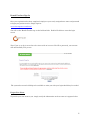
Member Handbook: From any screen in Benefit Tracker, you will be able to link to your patient’s
member handbook if it is available. Some plans may print their own handbooks which ODS will not
have access to. Simply click on the “Member Handbook” link, located at the top of your screen to see
if the member handbook is available.
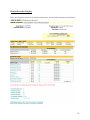
Benefits Display
Medical Benefits Display
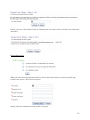
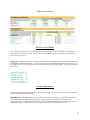
Just below the Patient Information Bar the patient plan maximum and deductible information will
appear. You may select an in-network or out-of network status simply by clicking on the appropriate
link.
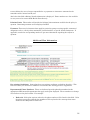
Plan Maximums and Deductibles
Office Co-pay: Reflects the copayment figure for office visits only. Additional co-payment
information may apply.
Deductible (Individual): Determines what your patient’s deductible limit is. The individual
remaining amount shows how much in costs the patient needs to meet before services would be
covered at the contracted rate.
Deductible (Family): Reflects the patient’s family deductible limit is. The remaining amount
shows how much the family needs to meet before the family’s services would be covered at the
contracted rate.
Out of Pocket (Individual): Displays the out of pocket maximum for the member’s current benefit
year. The individual remaining amount shows the amount the member needs to meet before they
are no longer responsible for co-payments or coinsurance amounts for the remainder of their current
benefit year.
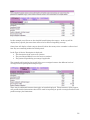
Out of Pocket (Family): Displays the out of pocket family maximum for the subscriber plan’s
current benefit year. The family remaining amount displays how much the family as a whole needs
15