1
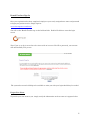
3. On the ODS for Dental Providers page, click on the benefit tracker link located below the
“Resources” header in the center of the page located here:
http://www.odscompanies.com/dental/dental_benefittracker.shtml
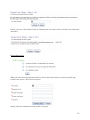
You will then be guided in completing your online registration with Delta.
Helpful Registration Tips
a. The system recognizes the tax id number only as a full series of numbers and will not
recognize hyphens or dashes in the tax id. At this time NPI numbers are not being utilized for
registration.
b. The provider first name and last name fields must match the way the name is indicated in
our records. If the system does not recognize the name configuration you provide, please
contact us at our phone number at the end of this manual for assistance.
c. License ID numbers may only include the numbers of the license. The system does not
recognize alphabetical prefixes, such as the letter D, when completing your form.
When your registration at Delta Dental is complete simply select the log off link located in the upper
right hand corner. To continue close your browser window, open a new browser window and return
to the ODS website to login to Dental Benefit Tracker to begin your search:
Signing In
Medical Product Sign In
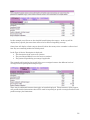
Once your registration has been completed, simply use your newly assigned user name and password
to begin your patient search. Simply login at:
www.odscompanies.com/medical
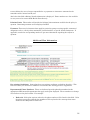
You will see the Benefit Tracker logo on the left hand side. Double-Click this to enter the login
screen.
The below login screen will appear
6