1
34
Chapter 4: Using the Printer
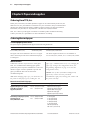
Diagnostic modes
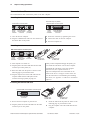
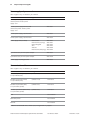
To change the diagnostic modes enter the configuration
menu, select “Set Diagnostic Modes” from the main
menu and select one of the following modes:
• Normal: normal operating mode of the printer.
• Datascope: the receipt printer prints incoming
commands and data in hexadecimal format to help
troubleshoot communication problems.
• Receipt test: the receipt printer prints two code
pages to verify proper printing of the receipt.
• Slip test: the slip printer prints two code pages to
verify the slip printer is operating properly.
• MICR test mode: the receipt printer prints all
characters recognized by the MICR (check reader)
to verify proper reading of an inserted check.
• Check flip test: verifies that the check flip
mechanism will flip an inserted check.
Caution: Be extremely careful changing any of the
printer settings to avoid inadvertently changing other
settings that might affect the performance of the printer.
See Configuring the printer,” page 32 for instructions
on how to enter the configuration menu.
Enable or disable data scope mode
The data scope mode test prints a hexadecimal dump of all data sent to the printer: “1” prints
as hexadecimal 31, “A” as hexadecimal 41 and so on. This helps troubleshoot communication
problems and runs during a normal application (after being enabled through printer
configuration).
Note: Data scope mode is usually considered a level 1 diagnostic test.
Data scope mode is enabled and disabled by selecting the “Diagnostic Modes” sub-menu of
the configuration menu.
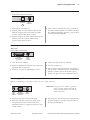
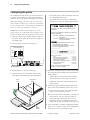
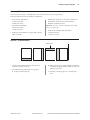
Press the paper feed button as instructed on the
“Diagnostic Modes Menu” to enable or disable the data
scope mode test.
• Off, normal mode (Data scope mode disabled)
• Data scope mode (enabled)
Note: Press the paper feed button for at least one
second to validate the selection.
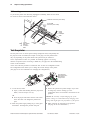
To run the data scope mode:
To exit the data scope mode:
1 After you have enabled the data scope mode, exit the
configuration menu.
1 Enter the configuration menu again.
2 Run a transaction from the host computer.
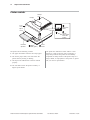
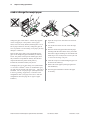
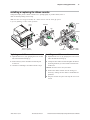
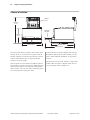
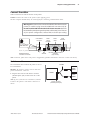
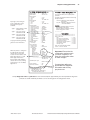
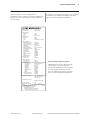
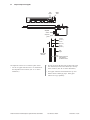
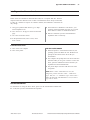
All commands and data sent from the host computer
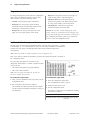
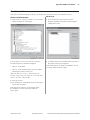
will be printed as hexadecimal characters as shown in
the illustration.
See “Configuring the printer,” page 32.
2 Disable the data scope mode.
3 Exit the configuration menu.
The printer is on-line and can communicate normally
with the host computer.
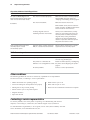
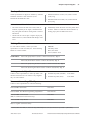
For more information about
See this section
Enabling the data scope mode “Configuring the printer”,
page 32
A760 Two-Color Thermal/Impact Hybrid Printer: User Guide
189-9200303 Rev. D
A760-D100 10/04