1
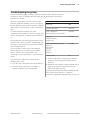
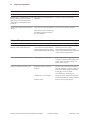
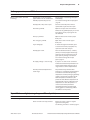
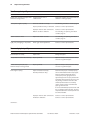
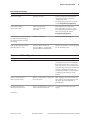
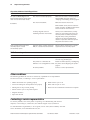
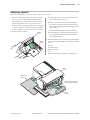
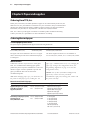
Contents
3
Contents
Chapter 1: About this Guide .............................................................. 7
How to use this guide ...................................................................... 7
Where to find advanced technical information ............................................ 7
Download manuals ............................................................................................. 7
Support ........................................................................................................................... 7
Chapter 2: About the Printer ............................................................. 9
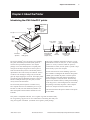
Introducing the A760 ColorPOS® printer ...................................... 9
About the Universal Serial Bus ................................................... 10
Advantages of USB connections ...................................................................... 10
Advantages of the TPG, Inc. USB solution ...................................................... 10
About the Ethernet Interface Option ......................................... 11
Printer controls .............................................................................. 12
Available printer configurations ................................................ 13
Printer configuration identification ................................................................. 13
Standard features ........................................................................... 13
Communication interfaces ................................................................................. 13
Options ............................................................................................. 15
Chapter 3: Setting up the Printer .................................................. 16
Unpack the printer ......................................................................... 16
Check the packing list .......................................................................................... 16
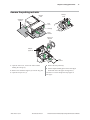
Remove the packing restraints ................................................... 17
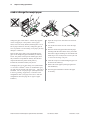
Load or change the receipt paper .............................................. 18
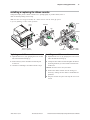
Installing or replacing the ribbon cassette .............................. 19
Replacing a used ribbon cassette .................................................................... 19
Installing a new ribbon cassette ....................................................................... 19
Choose a location .......................................................................... 20
Connect the cables ........................................................................ 21
Cash drawer cables ................................................................................................ 21
Communication cables ........................................................................................ 22
If installing the RS-232C communication cable: ................................. 22
If installing the USB communication cable: ........................................... 22
If installing the powered USB cable .......................................................... 22
If installing the Ethernet communication cable: ................................. 23
If installing the IEEE 1284 Parallel communication cable: ............... 23
Power supply cable ............................................................................................... 23
Cable routing ............................................................................................................ 24
Test the printer ............................................................................... 24
A760-D100 10/04
189-9200303 Rev. D
A760 Two-Color Thermal/Impact Hybrid Printer: User Guide