1
2
Introduction
This manual covers the installation and use of the Field Foreman Harvest Data
Management software. The Harvest Data software installs on the Model 3060 indicator
as part of the Field Foreman management package. For the Harvest Data program the
indicator is usually attached to a grain cart equipped with Avery Weigh-Tronix loadcells.
The software allows you to track all the weight based data for different grain types,
hybrids, fields, truck loading, storage locations and operators.
For complete mangagement of your crops you can use this with the Avery WeighTronix Field Foreman PC software package which installs on your PC.
2.1
Installation
If the Model 3060 was ordered with Field Foreman there is no need to install the
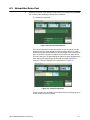
software. Refer to Figure 2.1 for an illustration of the Main Menu screen. If you are
adding Field Foreman to a Model 3060 follow the steps below.
1.
Remove the two screws holding on the memory slot cover on the right side of
the Model 3060.
2.
Insert the pre-programmed SD card into the slot.
3.
The software will automatically load. Follow any onscreen prompts.
4.
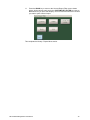
When complete, the Main Menu screen shown in Figure 2.1 will appear when
you power up the Model 3060.
This screen gives you access to the Seed Management, Application
Management and Harvest Data Management programs, if they are all
installed.
Seed
Management
Application
Management
Harvest
Management
Figure 2.1 Main Menu screen
Any time you want to see the weight on the grain cart, press the SCALE MODE key
when viewing the Main Menu screen. The weight display will appear. Press the BACK
key to exit the scale mode.
5.
6
Reinstall the memory slot cover.
Harvest Data Management User Manual