1
RIDGE INTERNATIONAL LIMITED Section 2
Basic Operation
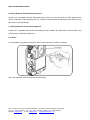
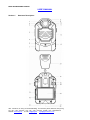
2.1 Power on Unit
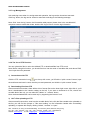
Press Power key
light illumines green.
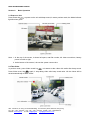
to power on the unit with beep sound, it enters preview mode; the Mode indicator
Note: 1. At the top of the screen, it shows left space, total file number, left video record time, battery
power from left to right.
2. At the bottom of the screen, it shows the system current time.
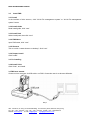
2.2 Take Video
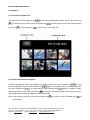
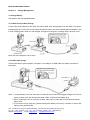
In preview mode, press Video record key
, unit starts to take video with audio after beep sound.
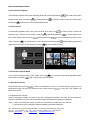
Press Video record key
again, it stop taking video after beep sound twice. All the videos will be
saved automatically as MP4 format.
Add.: 18th Floor, On Hong Commercial Building, 145 Hennessy Road, Wanchai, Hong Kong
Tel: + 86 – 799 – 6767972 Fax: + 86 – 799 – 6767973 Mobile: + 86 – 13907994349
Website: www.ridge.hk
E-mail: [email protected]
[email protected]