1
RIDGE INTERNATIONAL LIMITED 2.6 Playback
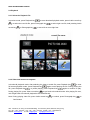
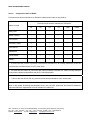
2.6.1 Select the Playback File
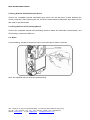
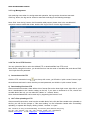
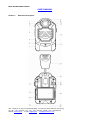
In preview mode, press Playback key
to enter thumbnail playback mode, press Audio record key
to select the next left file, press Photograph key
record key
or Photograph key
to select right next file, hold pressing Audio
to move left or move right fast.
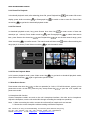
2.6.2 Video and Audio File Playback
In thumbnail playback mode, after selecting the video or audio file, press Playback key
to enter
full screen playback mode, press Playback key
again to start playing the file. During playing the
file, press Playback key
to pause playing, press Playback key
again to continue to play.
During playing file, press Video record key
to get back to thumbnail mode. After playing file over,
unit will get back to thumbnail playback mode automatically.
Note: During playing video file, press Audio record key
to rewind, press Photograph key
fast-forward.
Add.: 18th Floor, On Hong Commercial Building, 145 Hennessy Road, Wanchai, Hong Kong
Tel: + 86 – 799 – 6767972 Fax: + 86 – 799 – 6767973 Mobile: + 86 – 13907994349
Website: www.ridge.hk
E-mail: [email protected]
[email protected] to