1
Company
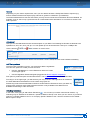
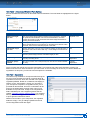
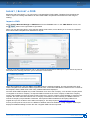
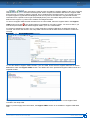
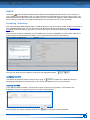
This menu item is where you maintain the important information about your CDX company such as name and
address, and DUNS number. You also create Org Units with this function. Org Units will not work unless you add
the Org Unit to Users IDs after creating the Org Unit. Only users with a profile of Company Administrator will have
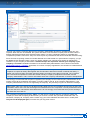
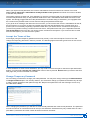
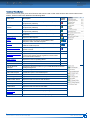
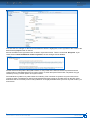
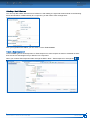
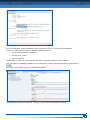
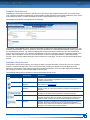
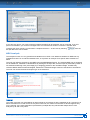
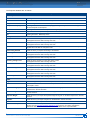
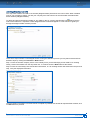
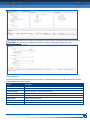
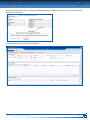
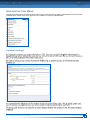
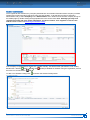
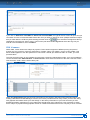
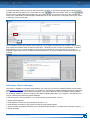
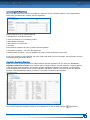
access to this menu item. When you view the details of your company, the screen will look similar to the following:
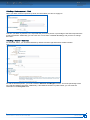
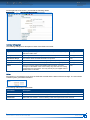
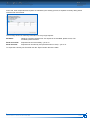
On the right side of the window is the company registration information. You cannot change the company Name
or Company-ID. If you need to change the company name, you can send a request to the CDX Service Desk and
if it meets certain criteria (such as uniqueness and length), a Service Desk Agent will change it for you. The
Company ID is a unique number and cannot be reassigned.
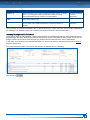
Additionally Bosch supplier companies see a “Bosch Supplier no.” and a “SupplyOn SPIN ID” in their screen.
They are system generated and cannot be changed. Without those numbers you are not able to add Bosch as a
recipient to your MDSs, CMDs or requests.
All of the other information is for you to maintain. For "Expiry Range" you can choose time frame, how long a
newly created user account will be valid. That means, every user you create will get an expiry date. You can
choose, if this will be in 90, 180, 365, 730 days.
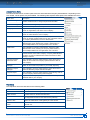
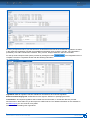
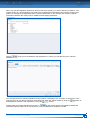
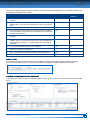
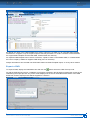
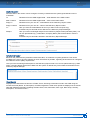
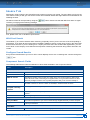
In the middle of the screen, the Company Administrator can select, if suppliers has to provide information with
regard to regulations and if their confirmation is required. Currently the following common regulations are
available: REACH SVHC, RoHS, ELV, GADSL, Batteries, Packaging, IMO, REACH Annex XIV, REACH Annex
XVII, RoHS Future. If your company requires company specific regulations to be considered, please send a
request to the CDX Service Desk.
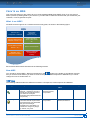
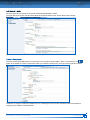
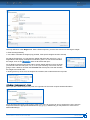
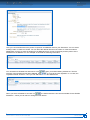
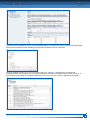
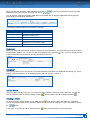
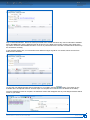
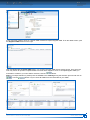
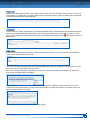
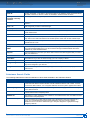
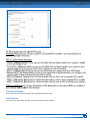
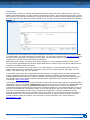
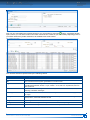
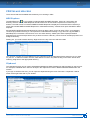
At the bottom of the screen is a list of users that have access to your CDX company and their contact information.
Additionally, if they are checked as a MDS Contact, they will show in the list of contacts on the Supplier Data Tab
of the MDS. If they are checked as a Compliance Contact, they can be found in a search of Compliance
contacts and customers will know who to direct their compliance inquiries to. It is recommended that you have at
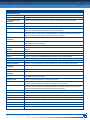
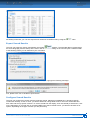
least one user identified as a Compliance contact. You can also export the user list in order to help you manage
your users. The exported list contains such information as last login date. It is highly advisable for security
purposes to inactivate users who do not need access to the system. As you can see from the above section on
personal settings, users can change their own e-mail and if they do so, will have access to data in your CDX
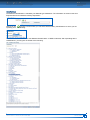
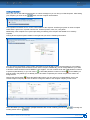
company after they leave the company. For instructions on how to inactivate a user, see the section on
Administration – User.
CDX USER MANUAL – VERSION 4.4 / NOVEMBER 2015
ADMINISTRATION MENU
115