1
The “Brazilian” keyboard driver
If you have a standard English-language keyboard, but often need to type accented or nonEnglish letters (“é”, “ñ”, “ö”, etc.), then MS-DOS 5.0 includes a feature you might like to try. It
is called (for reasons known only to Microsoft) the Brazilian keyboard driver.
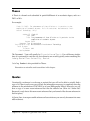
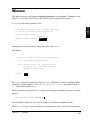
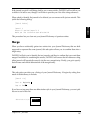
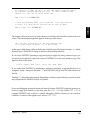
keyb br,,c:\dos\keyboard.sys
“keyb” stands for KEYB.COM, which is part of DOS. You should find both KEYB.COM and the
file KEYBOARD.SYS in your C:\DOS directory. The “br” in the above line stands for “Brazil”,
and there really are two commas between “br” and “c:\dos\keyboard.sys”.
Once the Brazilian keyboard driver has been installed, you can easily obtain acute or grave
accents, umlauts, tildes, circumflexes and cedillas. Since Microsoft’s MS-DOS manual does not
explain any of this in detail, though, I have taken on the task in the “PAPYRUS Conventions”
chapter later in this REFERENCE.
SHARE.EXE
If you will use PAPYRUS in conjunction with the DOS Shell, Windows, DESQview, or another
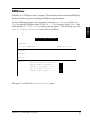
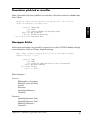
task switching program, it is a good idea to install DOS’s SHARE.EXE. Doing so is easy; simply
add this line to your AUTOEXEC.BAT file:
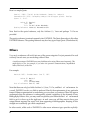
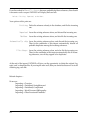
c:\dos\share
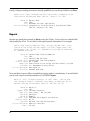
Running SHARE when you start your computer guarantees that you cannot accidentally
launch two copies of PAPYRUS at once. This is important, as running two copies of PAPYRUS
simultaneously is an excellent way to mangle your data files irreparably.
Chapter 14: Optimizing PAPYRUS Performance on Your Computer
57
R EFERENCE x
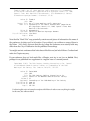
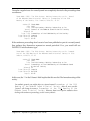
To install this helpmate, the following line must be executed. You can simply type it at the
DOS C> prompt, or you can place it in your AUTOEXEC.BAT file so that it will always take
effect when your computer is booted up. Here is the rather cryptic line: