1
3.1
Setup „GPRS_COM.exe”
•
•
•
•
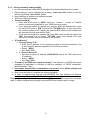
Start software „GPRS_COM.exe” (found on CD enclosed)
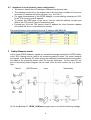
Connect Backup PC and Monitoring station client PC with serial Null-modem cable
Enter WEB password. The password has to be entered only at first start.
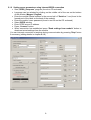
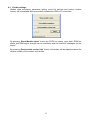
Select the physical serial port (where the cable has been connected) and open it in
GPRS_COM.exe program
• Check if the connection to the server has established (green icon)
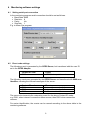
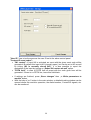
• Set the serial port parameters in the monitoring station program according to
chapter „Setting serial port connection”
• When serial port connection is established, the Backup PC will receive the
incoming Contact-ID messages through internet and will forward them through
serial cable (the same way as a standard PSTN receiver) towards the monitoring
station client PC. The monitoring program will display and store the received
Contact-ID messages.
5