1
© ETB Instruments LTD 2008
5.3.3.4
DigiDash2 - LITE Manual
Alarm Hold Over Time
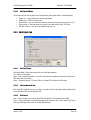
This is the period in increments of 0.2 seconds that defines the length of time the display will show
a warning alarm after the condition that originally triggered the alarm has returned to normal limits.
A warning alarm will show indefinitely if continously triggered.
5.3.4 Display Tab
5.3.4.1
LCD/LED Display Options
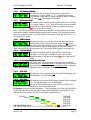
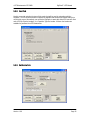
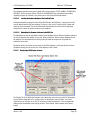
The main area of the display tab is used to turn on or off display screens on the green LCD of the
display unit. Four tabs relate to the model of DigiDash you are using. (The PRO+ tab is selected on
the image above showing all screens are selected.) In order to display a particular screen, ensure
that the corresponding check box is ticked.
5.3.4.2
Display Settings
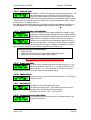
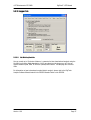
You can alter the brightness and contrast settings by changing the value of these boxes. LED
brightness (all LED warning lights and RED 3-digit display) ranges from 0 to 15, 15 being
maximum brightness. Similarly you can alter the contrast of the green LCD display, 10 is lightest, 0
is darkest.
5.3.4.3
Display Lap Update
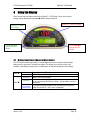
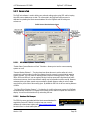
When the end of a lap is triggered (either manually, by the infra-red receiver or GPS) the LCD
display switches automatically to the LST/BST screen showing your last and best lap times. Use
this setting to control the period in seconds this display is retained before switching back to the
original screen selected.
5.3.4.4
DP on LED Display
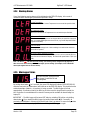
You can use the decimal point of the red LED display to show when the logger is
switched on and recorded data.
Version: 1.06
Page 31