1
(5)
(LOCK Key Software lock device )
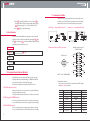
This function is to protect to change the set parameters which are
locked by parameter setting lock function by mistake.
① If press
key for more than 2 sec, PV displays
.
Then if unpress
key, PV displays
. If press key
four(4) times, PV displays
.
② If press key, setting value blinks every 0.1 sec. If press , key,
change ON/OFF.
③ Press
key to complete the setting.
(6)
setting (when use UNIT ID integrated control function, optional)
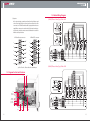
When want to control several modules (unit of controller) integrally,
the computer at central control room recognizes each module by the
designated identification number.
① This function requires an optional device for integrated control system.
② If press
key for more than 2 sec, PV displays
.
Then if unpress
key, PV displays
. If press key
five(5) times, PV displays
.
③ If press key, setting value blinks every 0.1 sec. If press
key,
change the number of digit. Can change setting value by pressing
, key. Setting range is 0~99.
Factory default value is ‘0’.
③ Press
key to complete the setting.
(7)
(AUTO STANDBY Entry time setting)(Inter-Lock Option)
Function to set the time to operate auto standby mode by checking
certain time of status that keep no injection signal
① if press
key for more than 2sec, PV displays
then
if unpress
key, PV displays
. if press key, six(6) times,
PV displays
.
② if press
key, setting value blinks every 0.1sec. If press key,
change the number of digit. Can change setting value by pressing
, key. Setting range is 0~9999min.
Factory default value is ’0min’.
③ Press
key to complete the setting.
12
(8)
(AUTO STANDBY release time setting) (Inter-Lock Option)
Function to set quit time of auto standby mode
① If press
key for more than 2 sec, PV displays
.
Then if unpress
key, PV displays
. If press key
seven(7) times, PV displays
.
② If press key, setting value blinks every 0.1 sec. If press
key,
change the number of digit. Can change setting value by pressing
, key. Setting range is 1~9999min.
Factory default is ‘9999min.’
③ Press
key to complete the setting.
(AUTO STANDBY Temperature values setting) (Inter-Lock Option)
(9)
Function to set the temperature using upon entering auto standby mode
① If press
key for more than 2 sec, PV displays
.
Then if unpress
key, PV displays
. If press key
eight(8) times, PV displays
.
② If press
key, setting value blinks every 0.1 sec. If press key,
change the number of digit. Can change setting value by pressing
, key. Setting range is 0~400℃.
Factory default is ‘50℃’.
③ Press
key to complete the setting.
(10)
(injection enable temperature range setting) (Inter-Lock Option)
Function to set available injection temperature range by ± set value
① If press
key for more than 2 sec, PV displays
.
Then if unpress
key, PV displays
. If press key
nine(9) times, PV displays
.
② If press
key, setting value blinks every 0.1 sec. If press key,
change the number of digit. Can change setting value by pressing
, key. Setting range is 0~50℃.
Factory default is ‘10℃’. (±10℃)
③ Press
key to complete the setting.
13