1
res
res
res
res
1
1
4
1
1
1
1
1
4
1
1
1
4
4
4
1
2
2
2
2
4
1
4
4
i
i
k
k
1
1
1
1
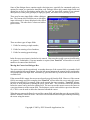
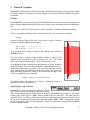
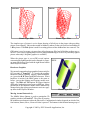
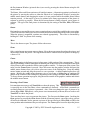
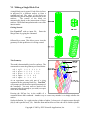
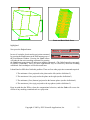
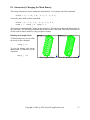
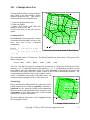
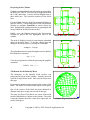
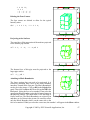
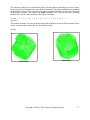
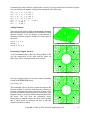
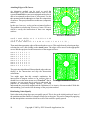
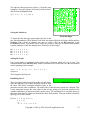
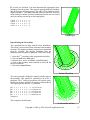
The entire minimum and maximum edges in both the i- and
k-directions are equally spaced. These constraints include
2 interior partitions. By default, the two interior vertices
along each of these edges has the freedom to be moved. By
including them in the interior of a res command, they no
longer have that freedom, but are interpolated as any other
interior node along the edge.
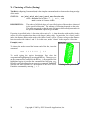
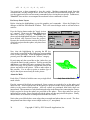
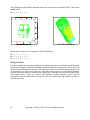
Inserting Partitions for the Inlet
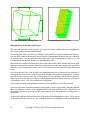
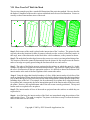
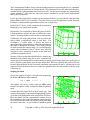
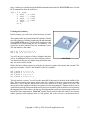
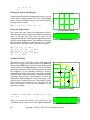
A hole is needed in the mesh for the inlet pipe. No Equal Spacing on the boundaries
partitions were formed in the block command to anticipate
this hole. Partitions will be added using the insprt
command. This method of forming partitions in the part has two advantages. First, you do not have
to plan for the location of the required partitions. It is possible that you will discover that some
existing partitions can be used for the unplanned feature, reducing the complexity of the part. In fact,
you will use the existing 3rd i-partition for the inlet pipe hole. Secondly, when a partition is inserted,
it is automatically placed along an existing mesh line so that you not have to determine the initial
coordinates for the partition as you would if the partition were specified in the block command.
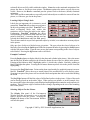
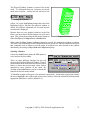
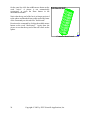
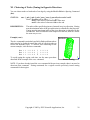
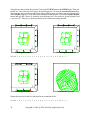
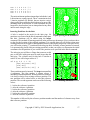
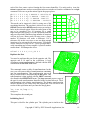
The inlet pipe part will have a flange that connects to this
part, so the hole in this part must be made larger than the
inlet pipe. The cylinder used for this hole is similar to
surface 8, but with a larger radius of .5.
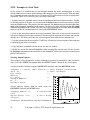
sd 9 cy 2.5 -1 1.75
[cos(-80)*cos(-25)]
[sin(-80)]
[cos(-80)*sin(-25)] .5
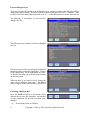
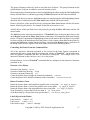
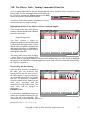
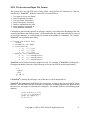
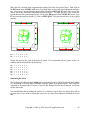
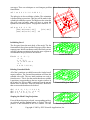
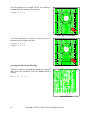
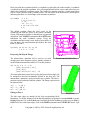
Three partitions must be inserted. The insprt command has
4 arguments. The first number is almost always 1
indicating a standard partition. When a partition is inserted,
it is always relative to an existing reference partition. The
new partition will be either before or after this reference
partition. The second argument can be one of the following
values:
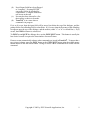
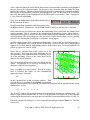
Existing Partitions
1 - before the reference i-partition
2 - after the reference i-partition
3 - before the reference j-partition
4 - after the reference j-partition
5 - before the reference k-partition
6 - after the reference k-partition
This number is followed by the reference partition number and the number of elements away from
that reference partition.
Copyright © 2005 by XYZ Scientific Applications, Inc.
57