1
Contents
Getting Started ‑—–
Step One: What you need to get started.
Step Two: Enabling the Wall Monitor.
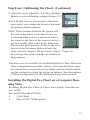
Step Two: Enabling the Wall Monitor (continued).
Enabling a Second Monitor on Vista.
Step Three: Installing the Digital Eye
Chart Software for Windows XP and earlier.
Step Four: Calibrating the Chart.
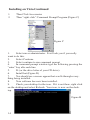
Installing the Digital Eye Chart on Microsoft’s Vista
Installing on Vista Continued
4
4
5
6
7
7
11
13
14
User’s Guide.‑—–
15
Advanced Setup.‑—–
Trouble Shooting‑—–
23
25
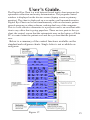
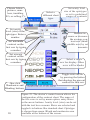
Features at the press of one button
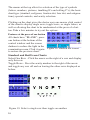
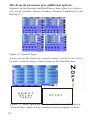
The drop-down menus give additional options.
Contrast Sensitivity Chart.
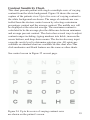
Single Letter Variable Acuity Chart.
No icon on the desktop
Start up screens do not appear
16
18
19
21
25
25
© Copyright 2006-2007 DigitalEyeChart.com
All rights reserved