1
User's Manual
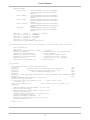
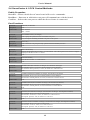
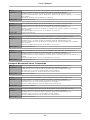
Function:
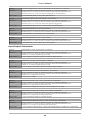
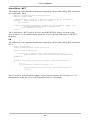
int DisplayVersion(int Comm, int BoardNum, char * VersionInfo)
Parameters:
Comm: Communications Port to which ServoCenter 4.1 controller is attached.
BoardNum: ID (0~15) of ServoCenter 4.1 Board to which the command will be sent.
VersionInfo: 64 element char buffer to hold version information.
Return Value:
Length of VersionInfo string
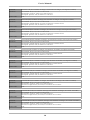
Function:
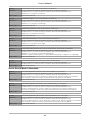
void CloseCom(int Comm)
Parameters:
Comm: Communications Port to be closed.
Return Value:
None
Function:
void CloseAllComs()
Parameters:
None
Return Value:
None
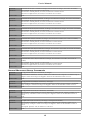
Function:
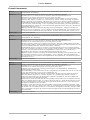
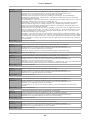
void SetComTimeouts(int Comm, int ReadMultiplier, int ReadConstant, int WriteMultiplier, int
WriteConstant)
Parameters:
Comm: Communications Port to which ServoCenter 4.1 controller is attached.
ReadMultiplier: The multiplier used to calculate the total time-out period for read operations, in
milliseconds. For each read operation, this value is multiplied by the requested number of bytes to be
read.
ReadConstant: A constant used to calculate the total time-out period for read operations, in
milliseconds. For each read operation, this value is added to the product of the ReadMultiplier and
the requested number of bytes.
WriteMultiplier: The multiplier used to calculate the total time-out period for write operations, in
milliseconds. For each write operation, this value is multiplied by the requested number of bytes to be
written.
WriteConstant: A constant used to calculate the total time-out period for read operations, in
milliseconds. For each write operation, this value is added to the product of the WriteMultiplier and
the bytes to be written.
Return Value:
0=Success, Non-0=Fail
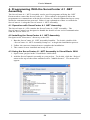
3.2 Installing the yeisrvo.dll Runtime Library
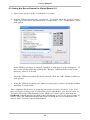
For your programs to be able to use the ServoCenter 4.1 DLL, the DLL must first be
placed somewhere that your running program will be able to find it. The best location
for your DLL is in the same directory as your running program. For example, if your
program is found in 'C:\ServoCenter\program\', copy the ServoCenter 4.1
DLL to that directory.
Another location where you can store the ServoCenter 4.1 DLL is the folder where
Windows stores the system-wide runtime libraries. In Windows 95 and 98, this folder
is 'C:\WINDOWS\system\.' In Windows ME, 2000, and XP, the folder is
'C:\WINDOWS\system32\.'
Once the ServoCenter 4.1 DLL has been copied to one of these directories, you are
ready to begin writing programs that use it.
3.3 Programming with yeisrvo.dll in Visual Basic 6.0
To use the functions provided by yeisrvo.dll from a Visual Basic program, you must
first provide the Visual Basic environment with a way to know where to find these
functions and how to treat them. To do this, the following form is used:
Public Declare Function InitPort Lib "yeisrvo.dll" ( _
ByVal PortNum As Long, _
ByVal Baud As Long _
) As Integer
This code snippet declares a public function named InitPort that is located in the
yeisrvo.dll runtime library. The InitPort function receives two long integers as
arguments and returns an integer.
47