1
User's Manual
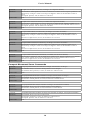
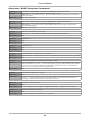
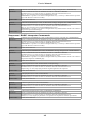
Sequencer / BASIC Interpreter Commands
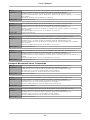
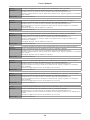
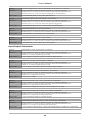
Command:
ReadSequencerEEPROM(Page As Integer, EEPROMData() As Byte) As Boolean
Parameters:
Page: (0~127) Specifies which sequencer EEPROM page to read.
EEPROMData: A 32 element byte array. The array is filled with the specified page if the function
returns successfully.
Return Value:
False=Fail, True=Success
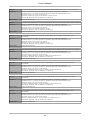
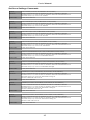
Command:
WriteSequencerEEPROM(Page As Integer, EEPROMData() As Byte) As Boolean
Parameters:
Page: (0~127) Specifies which sequencer EEPROM page to write.
EEPROMData: A 32 element byte array filled with the contents to be written to the specified
sequencer EEPROM page.
Return Value:
False=Fail, True=Success
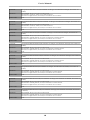
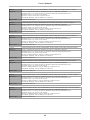
Command:
StartSequencer(SequenceArg As Integer)
Parameters:
SequenceArg: (0~255) Single byte parameter argument passed to the sequencer.
Return Value:
None
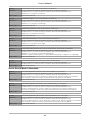
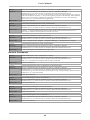
Command:
StopSequencer()
Parameters:
None
Return Value:
None
Command:
ResetSequencer()
Parameters:
None
Return Value:
None
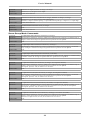
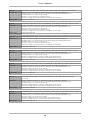
Command:
WriteCharToSequencer(SequencerChar As Integer)
Parameters:
SequencerChar: (0~255) Single byte parameter to be passed to the sequencer's character input buffer.
Return Value:
None
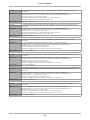
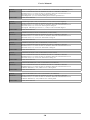
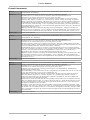
Command:
SetSequencerStartupMode(SequencerStartupMode As Integer)
Parameters:
SequencerStartupMode: (0~1) 0=The stored sequencer program can only be started by the reception
of the Start Sequencer command. 1=The stored sequencer program is automatically started when the
board is reset / powered up or when the Start Sequencer command is received. This effectively
allows the SC4.1 to be used in stand-alone applications.
Return Value:
None
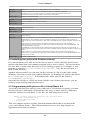
Command:
GetSequencerStartupMode() As Integer
Parameters:
None
Return Value:
-1=Fail. 0=The stored sequencer program can only be started by the reception of the Start Sequencer
command. 1=The stored sequencer program is automatically started when the board is reset /
powered up or when the Start Sequencer command is received.
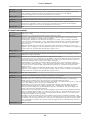
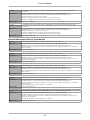
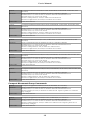
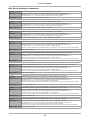
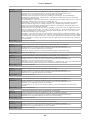
Command:
GetSequencerStatus() As Integer
Parameters:
None
Return Value:
-1=Fail. 0=Sequencer Idle / Stopped. 1=Sequencer Running. 2 =Sequencer Error / Stopped
Command:
GetSequencerLastError() As Integer
Parameters:
None
Return Value:
-1=Fail. Non-negative=The sequencer error byte value.
26