1
Enter the name to be searched with letters or numbers to search for
the entry needed.
When the Search menu is displayed, you may press # to change the
input method needed.
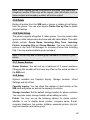
4.3.2 Search Entry
Enter the name you want to search.
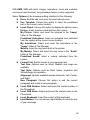
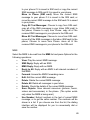
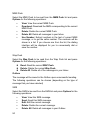
Highlight an entry in the Phonebook and press Options. The following
options will be available.
•
•
•
•
•
•
•
•
•
•
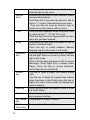
Dialing: Dial the selected phone number.
Send SMS: Send SMS to the selected phone number.
Send MMS: Send MMS to the selected phone number.
View: View the name, number and other information of the
current entry. If the entry is more than one screen in length,
use the Up and Down keys to scroll up and down. If you
have set up Caller Picture, press View after selecting the
option, and you may view the current associate picture.
Edit: Edit the selected memo.
Delete: Delete the selected entries.
Copy: If the selected entry is stored on the SIM card, copy
the entry into the phone. If the selected entry is stored in the
phone, copy the entry into the SIM card;
Move: If the selected entry is stored on the SIM card, move
the entry into the phone. If the selected entry is stored in the
phone, move the entry into the SIM card.
Duplicate: If the selected entry is stored on the SIM card,
copy the entry into SIM card. If the selected entry is stored in
the phone, copy the entry into the phone.
Send vCard: You can send the current entry to other users
by SMS or MMS or Bluetooth or select Save to Document
to save the entry to the phone or memory card.
Tips: You can press the Dial Key to dial the number directly in the
number list screen or detailed information screen of selected entry. If
multiple numbers exist in the entry, after pressing the Dial Key, a list
will be displayed that will allow you to choose the one you want to dial.
Select the one you want and press the Dial Key again to dial.
41


































![hank yo_fo buyil_gaSamsung (}a_Te_a ]hs](http://vs1.manualzilla.com/store/data/005691502_1-2e8e29ffb67d0c8f7d0d701e3cb644b7-150x150.png)