1
TcpStereo
User's Manual
HOW TO OPEN AND VIEW A PROJECT…
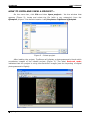
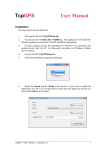
On the menu bar, click File and then Open project…. Via the window that
appears (Figure 2), locate and select the file (with a .pry extension) from the
Ejemplo1 project - the default location is C:\Proyectos TcpStereo\Ejemplo1.
Figure 2 – Select project.
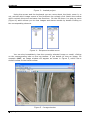
After loading the project, TcpStereo will display a photogrammetric block which
constitutes images of the loaded project (Figure 3). The label Reduced mode
indicates that the project is using low-resolution images (see the importing of digital
photogrammetric flights).
© Aplitop S.L. 2010
2