1
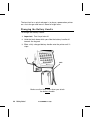
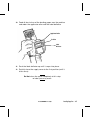
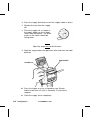
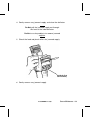
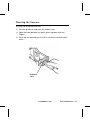
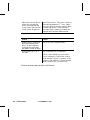
13. Hold the supply edge between the feed and pinch rollers, and
then press the trigger or a key assigned by your System
Administrator until all slack is removed. Discard the extra
labels that feed.
Feed Roller
Pinch Roller
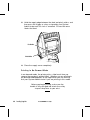
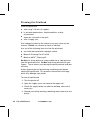
14. Close the supply cover completely.
Printing in On-Demand Mode
In on-demand mode, the printer prints a label each time you
remove the previously printed label. Whether you are printing in
on-demand mode depends on the application you are running.
Ask your System Administrator if you are printing in this mode.
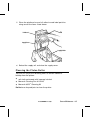
Before you begin printing, make sure the
handle is fully charged and attach the safety
strap of the printer to your wrist.
3-6 Loading Supplies
TC6035EZEM Rev. C 10/98