1
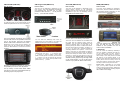
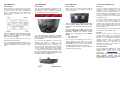
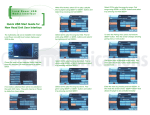
Opel (GW17OC1) Opel (GW17OC2) Opel (GW17OC3) 7. DISCLAIMER AND WARRANTY How to control How to control How to control Disclaimer Switch ON your car radio and select AUX as source. The menu of the iGateway is displayed on the main screen. Due to the capabilities of your car, the iGateway menu is not visible on the cluster display (between the two main instruments). The menu of the iGateway is displayed on the main screen. Due to the capabilities of your car, the iGateway menu is not visible on the cluster display (between the two main instruments). Switch ON your car radio and select AUX as source. The menu of the iGateway is displayed on the main screen. If your car’s electrical system begins to behave erratically, please disconnect the Gateway interface physically immediately and have it checked by your installer. Dension and its authorized distributors and retailers are not liable for any incidental consequential or indirect damages or loss and do not assume liability for any diagnostic fees. The music playback and settings are controlled by radio buttons. Please note: steering wheel buttons are not functional except for volume buttons. The music playback and settings are controlled from the radio but next and previous track selection is also possible from the steering wheel controls (if available). You can enter the iGateway main menu by pressing disc 6 on the Radio. If you have selected iPod GW mode (see source table in section #4) you can now use your radio controls to navigate through the menus on your iPod. The music playback and settings are controlled from the radio. Please note: steering wheel buttons are not functional except the volume and the mute buttons. You can enter the iGateway’s main menu by pressing the “Folder +” button or the “Multifunctional button” on the Head Unit. Use the “Multifunctional button” for browsing, turn right or left for accessing different menu options. In order to select a menu item press the “Folder +” or the “Multifunctional button” or press “Folder –“ to return to the previous level. If song selected the currently played song’s title visible on the display. In order to see Album or Artist info, press the ‘INFO’ button on the Head Unit. Due to the limitation of the Radio (CD70) in AUX mode, the factory Next / Back buttons are not functional therefore the following buttons replace their functionalities on the numeric keypad: #7 #9 Back or REW Next or FF You can enter the iGateway main menu by pressing disc 6 on the Radio. If you have selected iPod GW mode (see source table in section #4) you can now use your radio controls to navigate through the menus on your iPod. Use #8 button to select or deselect Random playback option on the radio. The use of handheld devices while driving may be subject to government legislation. Please ensure that your use of the Dension device complies with applicable traffic laws. Dension does not assume liability for any events resulting from the illegal or irresponsible use of handheld devices while driving. Dension reserves the right to modify its products or specifications without prior notice. Warranty Dension devices carry a one-year limited warranty that protects you from defects in material and workmanship of products sold by Dension or its authorized distributors and retailers. Dension does not warrant any installation work or assume liability for any damage caused due to negligence, improper installation or operation. For warranty claims, proof of purchase is required Further assistance If you need further assistance in using your Dension product, please contact your local supplier or visit www.dension.com and click on ‘Support’. Please check the download section for the latest firmware version and product documentation, as these may provide additional features or easier use of the product.