1
Table of Contents
List of Figures
1-1. Ring List .................................................................................................................... 1-2
1-2. Add Ring ................................................................................................................... 1-2
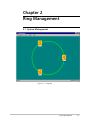
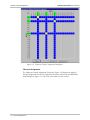
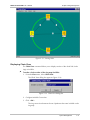
2-1. Ring Map .................................................................................................................. 2-1
2-2. X-Connection Table................................................................................................... 2-3
2-3. Change Path Name ................................................................................................... 2-4
2-4. Deleting Connections ................................................................................................ 2-4
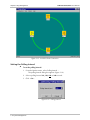
2-5. Add/Delete Path Dialog Box...................................................................................... 2-5
2-6. Optimux Channel Assignment Dialog Box ................................................................. 2-6
2-7. Path Name Dialog Box .............................................................................................. 2-7
2-8. Disconnecting All Connections .................................................................................. 2-8
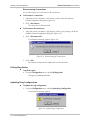
2-9. Update Ring Configuration ......................................................................................... 2-8
2-10. Rename Ring............................................................................................................ 2-9
2-11. Closing Application.................................................................................................. 2-9
2-12. Exiting Application................................................................................................. 2-10
2-13. Viewing Paths........................................................................................................ 2-11
2-14. Chain View Dialog Box.......................................................................................... 2-11
2-15. Invisible Chain Connection.................................................................................... 2-12
2-16. Polling Interval ...................................................................................................... 2-12
2-17. Sanity Check Errors................................................................................................ 2-13
2-18. Updating Agent ..................................................................................................... 2-14
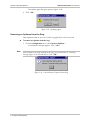
2-19. Cannot Remove Optimux From Ring..................................................................... 2-14
List of Tables
2-1. Ring Management Options ........................................................................................ 2-2
2-2. Optimux Channel Assignment Color Coding.............................................................. 2-7
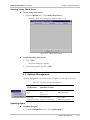
2-3. Optimux Management Options ............................................................................... 2-13
ii
RADview-HPOV/TDM User’s Manual