1
“Quick View” may also contain a working link to an electronic MSDS file. This CIMS uses the CAS #
to link to the MSDS. See Chapter 2 for more information on the location of the MSDS folder location.
See Chapter 4 for information on how to add an additional MSDS to the software.
“Stock Check” Worksheet Tab
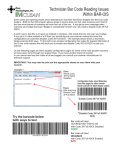
By using the barcode scanner, any CIMS user can perform a stock check (inventory audit) in the
laboratory.
Inventory Audit:
The steps for conducting a stock check are as follows:
1) Open the “Chem_Inventory” file for the location(s) to be audited.
2) Click “File” and “Save As…” to save a Stock Check file for the location(s). The file name
should include the date and location of the inventory audit. Example: Stock Check
13May2013_Room894/138B
3) Select the “Stock Check” tab.
Page | 30