1
4.2 Copy task
Copiaris
4 Tasks
4.1 Tasks
Task is job or operation, like "copy files from A to B", "run program X" or "wait until drive X becomes accessible".
You make script (
page 7) that contains desired tasks in desired order, so they are executed one after other.
See following topics about tasks available in Copiaris. In the future there may be even more different task types available,
like e-mail, FTP, registry export etc.
4
4.2 Copy task
With copy task you can copy files, compress files and also save listing of files to text file.
Copy sources
Copy task itself allows to specify destination directory and copy type, but to specify source directories you need to add one
or more copy sources to it. Copy source can be considered sub-task of copy task, but copy task can't function without copy
source, because only copy source allows to specify source directories. So each copy task must have at least one copy
source.
You can add copy source to your copy task same way you add any task, by Task menu. You need to select existing copy
task first, then choose Insert copy source.
Using one copy source
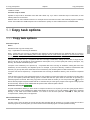
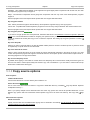
On image above you see copy task with copy source that has 2 source directories (D:\Data1 and E:\Data2) specified by
Source directories option. Both these source directories are copied to destination directory X:\Backup.
Using multiple copy sources
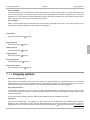
You may have question about why to use copy source as sub-task and why not just have Source directories option as part of
copy task itself. It becomes much clearer with the following:
16