1
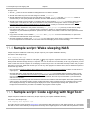
11.5 Sample script: Code signing with
Copiaris
at runtime. Drive that contains key file is found automatically by searching for drive that contains key file.
This sample is somewhat over engineered and can be done without IF-blocks but use of IF-blocks shows how to display nice
messages to user on certain conditions.
How it works:
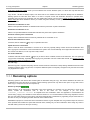
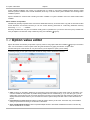
1. First we are looking for drive that contains key.pk private key file by setting _KeyDriveLetter user variable to <Drive
file="key.pk">. Note that this task has Terminate script on failure set to false and also Fail on list is empty. That is
because we don't want the task to report failure if it does not find required drive (when expanding variable fails) because
we process that condition with next IF-block.
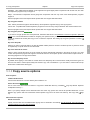
2. If <_KeyDriveLetter> <> '' is evaluated and returns true if our variable _KeyDriveLetter is not empty (drive
with key file was found). On that case main if block is executed, else Unable to find drive with key file error message is
displayed.
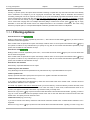
3. We set some user variables to make it easy to use same command line for all exe files.
4. We ask password from user at runtime and assign it to variable _SignPwd.
5. Process task is used to execute SignTool.exe with proper command line parameters, including password and key file.
Note that under advanced process options we have set Window state to Hidden, so console window of SignTool is not
shown, giving us better user experience. Any errors are still captured via process exit code.
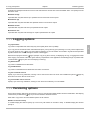
6. After signing 3 executable files we use <ErrorLevel> variable in IF-block condition to determine if there were any errors
or warnings logged. <ErrorLevel> returns 0 if there were no errors, 1 if there were warnings or 2 if there were errors
logged during executing script.
11
57