1
[Shutting Down POS]
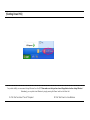
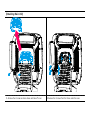
For product stability, we recommend closing Windows from the O/S. Please make sure that you have closed all applications before closing Windows. *
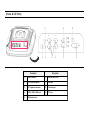
Alternatively, you may shut down Windows by simply pressing the „Power‟ switch on the Main Unit.
1. Click „Start‟ and select „Turn off Computer‟
2. Click „Shut Down‟ to close Windows.