1
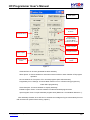
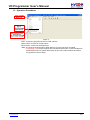
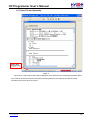
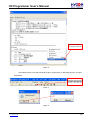
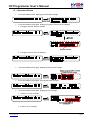
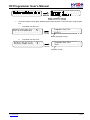
HY-Programmer User’s Manual Build Option No Use Area Fill 00 or FF Generate Files Program Key Function SettingChoose Blank Function is On or Off Smart Compiler Program Protect Stack Option . Enable Program Times Input Program Times Figure 1 Generate Files Choose generated file after assembly Stack Option Choose whether to reset when stack overflow or stack full after OTP program operation. No Use Area Fill Fill up 00 or FF in unused program space after assembly. ProgramKey Func. Settings Choose blank function is on or off when using program key under offline programming. Smart Compiler Choose whether to simplify assembly. Enable Program Times Choose whether to enable download program times. Input Program Times Input download program times (Maximum: 2147483646. Minimum: 1). After assembly finished, click “ICE Test” to evaluate test voltage as Figure 3 described (Connect IDE and insert 9V power before clicking “Option”). © 2008-2012 HYCON Technology Corp www.hycontek.com APD-HYIDE004-V05_EN page 4