1
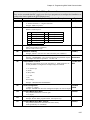
Table of Contents
CHAPTER 6 - PROGRAMMING COMMANDS.....................................................................6-1
Ideal Commands (Go to Command Links on Back Cover)
CHAPTER 7- PROGRAMMING YOUR APPLICATION........................................................7-1
Smart Drive Programming Overview ...............................................................................7-1
Creating Or Editing Programs With The Keypad.............................................................7-1
Command Summary........................................................................................................7-2
Variables And Arithmetic .................................................................................................7-3
Variables..........................................................................................................................7-3
Legal Variable Names .....................................................................................................7-3
Built-in Variables..............................................................................................................7-4
Non-Volatile Variables .....................................................................................................7-6
Arithmetic Operands And Equations ...............................................................................7-7
Boolean Operators - & (And), | (Or).................................................................................7-8
Logical Operations On Expressions ................................................................................7-8
Incrementing And Decrementing Variables .....................................................................7-8
Expressions .....................................................................................................................7-9
Multi-axis Operation.......................................................................................................7-10
Simple Go Commands ..................................................................................................7-10
Typical Programming Examples....................................................................................7-12
Reading An Analog Input...............................................................................................7-14
Configuring An Analog Output.......................................................................................7-15
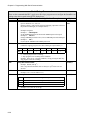
CHAPTER 8 - PROGRAMMING WITH SERIAL COMMUNICATION...................................8-1
Section 1: RS-232C Protocol ........................................................................................8-3
Making RS-232C Connections to the S6961/2................................................................8-3
Troubleshooting Serial Communication Problems ..........................................................8-3
Daisy Chaining SmartDrives............................................................................................8-4
Section 2: application developer software..................................................................8-5
Installing Application Developer ......................................................................................8-5
Common Installation Errors And Remedies ....................................................................8-6
Section 3: Using Application Developer .....................................................................8-7
Setup Wizard ...................................................................................................................8-7
Axis Setup .....................................................................................................................8-11
I/OSetup ........................................................................................................................8-15
Miscellaneous (Misc) Setup...........................................................................................8-16
File Menu.......................................................................................................................8-17
Program Editor ..............................................................................................................8-18
View Configuration ........................................................................................................8-19
Communications............................................................................................................8-19
Run Menu ......................................................................................................................8-20
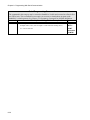
Section 4: Rs-232c Idealtm Command Reference .....................................................8-21
Overview........................................................................................................................8-21
Sample File....................................................................................................................8-22
Command Syntax ..........................................................................................................8-24
Serial Setup Commands................................................................................................8-25
Serial Programming Commands ...................................................................................8-29
Commands Not Used In Hosted Mode..........................................................................8-31
Serial Immediate Status Commands .............................................................................8-33
Serial Supervisory Commands ......................................................................................8-39
ii