1
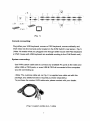
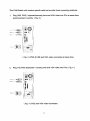
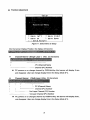
{ Fig. 1 )
Console connecting:
Plug either your USB keyboard, mouse or PS/2 keyboard, mouse arbitrarily and
VGA video into the Console ports located on the KVM Switch's rear panel. ( Fig.1)
( Note: No matter what you plugged even thought USB mouse with PS/2 keyboard
or PS/2 mouse with USB keyboard are available working to the KVM Switch unit.)
System connecting:
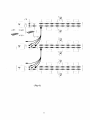
Use KVM custom cable sets to connect any available PC ports to the video and
either USB or PS/2 ports, or even USB & PS/2 all connected of the computers
you are connecting up.
( Note: The custome cable set, as Fig. 2, is supplied one cable set with this
package; any additional sets is required purchase separately.)
To purchase the custom KVM cable sets, please contact with your dealer.
( Fig 2 ) custom combo 4-in-1 cable