1
RESIDENT USE
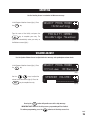
Welcome To
Elite Entry
Use
Keys
To View Directory
(fig a.)
(fig b.)
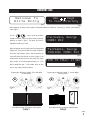
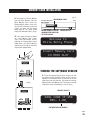
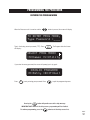
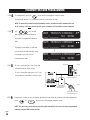
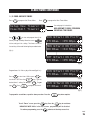
When operating, the Entry Phone System will alternate between the “Welcome” screen (fig a.) and the “View Directory”
screen (fig b.).
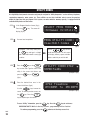
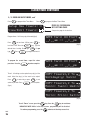
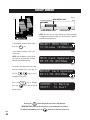
Use the
keys to scroll up and down
through the names listed in the Entry Phone’s electronic
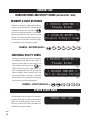
directory as shown in (fig c.) The names are listed in
Fairbanks, George
CODE: 012
(fig c.)
alphabetical order by last name.
When the desired name is found, enter the corresponding
3-digit code. The system will dial the number assigned to
the tenant code entered. (fig d.) After connecting, the
Fairbanks, George
DIALING! CODE: 012
(fig d.)
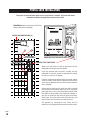
screen will display the talk time as shown in (fig e.) If the
resident wants to allow access to the visitor, they simply
press (or dial) “9” for vehicular gate entrances, or “5” for
door or pedestrian gate . If the resident wants to deny
TIME TO TALK> 17 SEC
___
access, they simply hang up the phone.
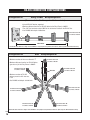
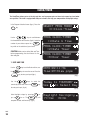
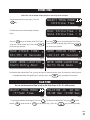
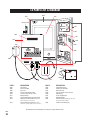
By pressing or dialing the number “9” on their digital
or rotary phone,
WXY
9
(fig e.)
By pressing or dialing the number “5” on their digital
or rotary phone,
JKL
OR
5
OR
the resident will open the vehicular entrance gate.
the resident will open the door or pedestrian gate.
Entry 1
Entry 2
PAGE
3