1
Firmware Updater User’s Manual
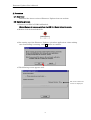
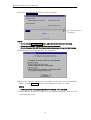
6) Click the Start Update [S] button to start the update.
The updating progress
is displayed.
(Note)
· Do not click the Start Update [S] button, while [Device Information] is changing.
· It takes approximately 1 minutes until the update is complete.
Do not disconnect the USB Card Reader during the process. It may give fatal damage.
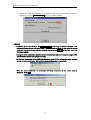
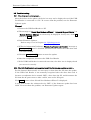
7) The following screen appears after the completion.
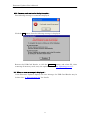
8) Remove the USB Card Reader if it is possible. In the case of the Internal Drive
model, click the Shutdown button. Then Firmware Updater is ended.
(Note)
· Please ignore the warning message about the removal, if it is displayed.
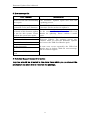
9) The USB Card Reader will operate by the updated firmware, after the next
connection or turn on.
6