1
Mail Factory User’s Manual
Using Contact Information from External Databases
Chapter 12
Using Contact Information From
External Databases and Contact
Managers
General Information
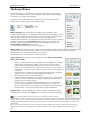
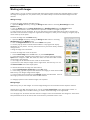
Mail Factory can use addresses stored in Apple Address Book, Microsoft Entourage, Microsoft Excel, Now
Contact, Eudora and FileMaker Pro. If you have any of these programs installed on your computer, you will
be able to select them as the source of your contacts. Besides, Mail Factory can take addresses from tabdelimited text files and vCard files because many programs can save data in these formats.
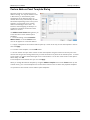
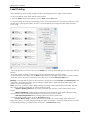
The person's details are displayed in the Contacts window. They can be also used for filling out the
embedded databases of Senders, Recipients and Print Lists.
Importing from External Contact Managers
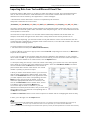
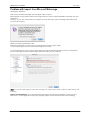
Mail Factory uses AppleScript to pull information from external contact managers
(except Apple Address Book, to which the program has direct access). When you
select, for instance, Entourage or Now Contact as the source in the Contacts
window for the first time, this program will be launched so that Mail Factory can
access information stored in it. This may take a while, until Mail Factory imports
the addresses into its internal database. The time, required for import, depends on
the size of your database and performance of your computer.
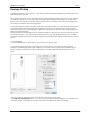
If Mail Factory can't launch the external program or calls the wrong version of the
required program, please check the path settings in Preferences dialog, Address
Panel tab.
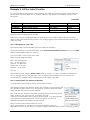
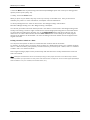
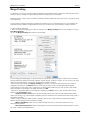
The next time you select Entourage or Now Contact from the Source pop-up menu, the Contacts window will
display the list of the previously imported contacts. You may update the list by clicking the Update button Mail Factory will import the contacts from the corresponding contact manager.
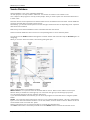
Note: To use Mail Factory with Now Contact, the Contact File must be the primary file. You can make a contact file
"primary" when you open the file with Now Contact (enable the Make this file primary box in the Open dialog).
The primary file is the file that opens automatically when you launch Now Contact.
Note: If you need to import the data from another contact manager, which is not directly supported by Mail Factory it isn't a problem. Your contact manager program probably has the option to store contacts in the form of vCard or
tab-delimited text files. Read below how to read the information from such files.
Use this method in case you meet a problem with import from a supported data source.
BeLight Software, Ltd www.belightsoft.com
General Information
77