1
DP650 User’s Manual
Chapter 2 Preparation
2.1 Unpacking
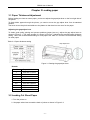
Check each item against the following packing list, if any of these items are missing, please contact your
local dealer.
NOTE
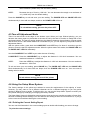
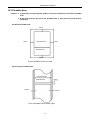
Hold the bottom of printer in the box, and then carefully lift it upwards. As you unpack, save
all the original packing materials if possible. They are specially designed to protect the
printer and will make repacking easy if necessary. Before you start using your new printer,
please make sure to remove all the shipping pads from the printer. Open the window cover
and remove the shipping pads made from white styrofoam.
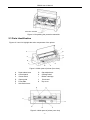
B
A
D
C
E
F
G
H
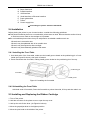
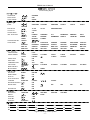
Figure 2-1 Packing list in the printer box
A
B
C
D
E
Printer
F
Front table
G
Ribbon cartridge JMR119
H
Power cord
Driver CD (Including user's manual and driver)
Interface cable
Facility user's guide
Packing list
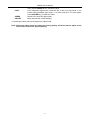
Note: The fittings please refer the packing list. The packing style above is subject to change
without notice.
2.2 Unpacking the Protective Materials
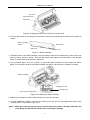
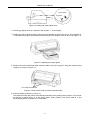
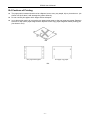
1. Open the packing box, lift up the printer, open the top cover of the printer, remove the packing
materials as shown in Figure 2-2.
2. Save all the original packing materials, so that they can be used when transporting the printer.
-3-