1
Klinkmann Automation ABB_ARCN DDE Server
31
(1) If ConsecArcnErrorsForLog =0 then each time when ARCNET communication error
happens (and Show Errors is checked in the Server’s System Menu) an error message
is logged to WW Logger file.
(2) If ConsecArcnErrorsForLog =1...4 then ARCNET communication error message is
logged to WW Logger file only if consecutive 2...5 ARCNET communication errors
happen.
Assigning non-zero value to ConsecArcnErrorsForLog item in WIN.INI file you can
protect Logger file from huge amount of random communication error logging. Random
communication errors may happen but such errors do not affect Server’s work, therefore
it is not reasonable to log all random errors.
Do not assign values greater then 4 to ConsecArcnErrorsForLog item.
The maxPossiblePackages entry is used to control number of simultaneously requested
data packages. If there is no such item in WIN.INI file than the Server each time tries to
request as many packages as possible. It increases amount of communication data but
makes WW monitoring slower. Using of maxPossiblePackages item allows to access
optimal data update rate as well as good monitoring speed.
To find the best value of maxPossiblePackages item you can check item
ShowReckPackNumb in the Server’s System Menu (see chapter Troubleshooting menu)
and run the system. WW Logger file will show number of received packages after each
request. Find in Logger file the greatest number of received packages and assign it to
maxPossiblePackages item in WIN.INI file. Restart the Server. Do not check
ShowReckPackNumb during normal working process!
The ShowAllRejectedWrites option is useful when communication with a separate topic
(topics) is suspended by Item SUSPEND (see chapter Item (Point) Naming) and the
Server rejects each write to this topic (topics). If ShowAllRejectedWrites = 1 then
information about each rejected write value is displayed by the Server. If
ShowAllRejectedWrites = 0 then the Server rejects each write to the suspended topics
without logging any information.
The default values (they are used if WIN.INI file does not contain these entries) are the
following: WriteRetryCount =0, ConsecArcnErrorsForLog =1, maxPossiblePackages
=8 and ShowAllRejectedWrites =1.
Troubleshooting menu
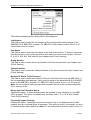
The following debugging choices are appended to the Server’s System Menu (the menu
that appears when you click the “-” box in the upper left hand corner of the Server
window):
Suspend Protocol / Resume Protocol - these choices permit you to turn protocol
processing on and off, what means that you can suspend access to
the PLCs.
ShowEvents
- if checked then information about suspended and resumed topics are
displayed
Show Send
- if checked then outgoing data is logged in hexadecimal format.
Show Receive
- if checked then incoming data is logged in hexadecimal format.
Show Errors
- if checked then errors are logged.
ABB_ARCN DDE Server User Manual Rev 2.5
01010M25