1
CONTENTS
Introduction
1-1
WinTen Basics
1-2
Navigation
Mouse Actions
Keyboard Actions
Buttons
Standard Buttons
Grayed Out Options
Pull-Down Menus
Dialog Boxes
Drop-Down Selection Boxes
Calendar Boxes
Check Boxes
Radio Buttons
Scrollbars
Tabs
Function Keys
Print Dialog Box
Wizards
Maintain Notes Sub-Screen
1-2
1-2
1-3
1-4
1-4
1-8
1-9
1-9
1-10
1-10
1-10
1-10
1-11
1-11
1-12
1-13
1-15
1-16
Program Overview
2-1
Main Menu
2-3
Setup
3-1
PIC Setup
3-2
TRACS and FMHA Setup
3-10
Gathering Your PIC Data
4-1
Gather and Submit TRACS Data
5-1
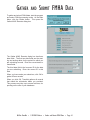
Gather and Submit FMHA Data
6-1
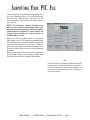
Submitting Your PIC File
7-1
Setup Screen
Default Settings Tab
Data Areas Tab
Setup Screen
Default Settings Tab
Data Areas Tab
Agency Information Tab
Select Gathering Requirements
Errors Found
Confirmation
Submitting TRACS Data
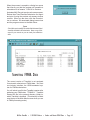
Submitting FMHA Data
PIC Data Validation
PIC Submission
Submission Errors
3-3
3-3
3-9
3-11
3-11
3-13
3-15
4-2
4-3
4-5
5-3
6-2
7-2
7-6
7-8
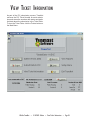
View Ticket Information
8-1
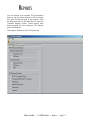
Reports
9-1
Index
i-1
Ticket Screen Functions
PIC Reports
Ticket Reports
Retrieving PIC Performance Data
8-4
9-2
9-5
9-7