1
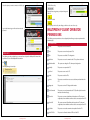
Scenario:
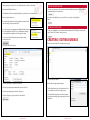
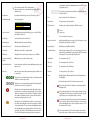
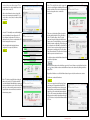
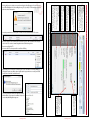
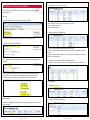
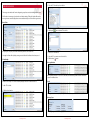
There are two exclamation marks ( ) next to two items:
Search
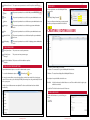
Click this button to display the results in the results
window.
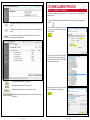
It is important that all items are ticked (
) in the status column. This indicates that the server communication paths are working, the server services are working and the alarm Automation System is
connected and working properly.
A blue cross (
) indicates that the item is not used or not configured for use.
If you have an orange exclamation mark (
) or red cross (
) then you should investigate further as
to exactly what the problem is.
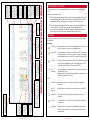
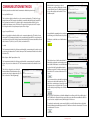
MESSAGE VIEW
in the toolbar
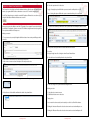
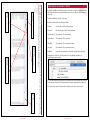
To open the STU message view, click on the STU then click on the View STU Messages (
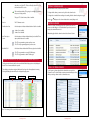
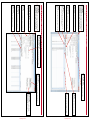
Search Parameters
The search parameters consist of
Date & Time
Client Identity
Message Direction
Paths
Message Types
Client Identity
Indicates what messages will be displayed
according to what is checked
To view the system status click on the System Status
Message Direction
Filters that can show messages from or to the
Stu, or From or to the Automation system
SYSTEM STATUS
Paths
Filters that can show messages from particular
paths, either Ethernet or GPRS
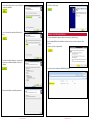
19. Click Save Changes when you’re completed.
20. Click Write Programming to write the programming to the STU.
Message types
Filters than demonstrate particular messages
from the STU, Events, Commands, Path Changes
etc.
Including Server messages such as processor
status, receiver status, etc.
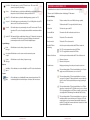
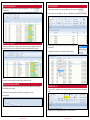
Live Updates
As events occur the results window can be automatically updated.
17. Enter a name for the user.
18. Enter a PIN code for the user.
) button.
By clicking on the two plus (
) icons to the left of the items, we can see more detail:
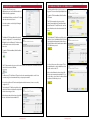
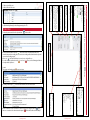
Tool bar
The tool bar buttons:
Clear Message Window
Print Messages
Copy Messages
Show messages sent to the Automation System
Live Update.
Multipath IP User Manual Version 5.0
Results Window
Page 50
© Inner Range PTY LTD
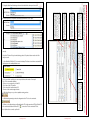
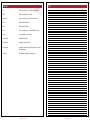
Columns that can be displayed are:
•Client Code
•Date Time
•Direction
•Event Type
•Message Text
•Path
•Raw Message Data
•Remote Endpoint
•Rx ID
•STU ID
Multipath IP User Manual Version 5.0
Record Count
Displays the total number of records
displayed.
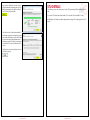
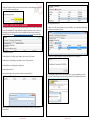
We can see that two receiver connections are either not used or not configured. This is ok ( ). Also,
there is no connection to the alarm automation system ( ). This should be addressed immediately!
Page 51
© Inner Range PTY LTD