1
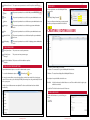
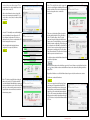
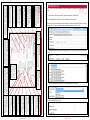
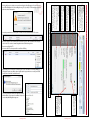
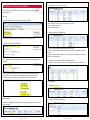
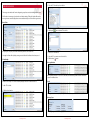
STU DETAILS - ALARM PANEL MANAGE USERS
Save Changes
This button allows the user to save changes that
have been made to be saved to the Multipath
Server. NOTE: For changes that have been made
to be sent to the STU, the Write Programming
button must be clicked.
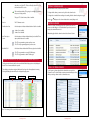
Manage Users
PIN codes can be allocated up to 32 users.
Program Inputs
Alarm panel mode can use up to 10 zones on
the STU.
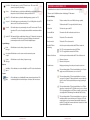
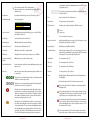
User Number
A unique identifier that allows the central station to associate a user with a number.
Enabled
Allows the user to be active to be able to use the
panel.
Entry Delay & Exit Delay
These options allow a time for a user to activate particular
zones without generating an alarm during entry or exit.
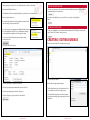
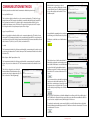
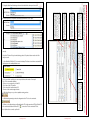
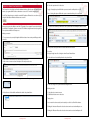
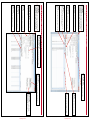
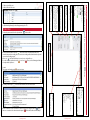
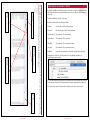
STU DETAILS - ALARM PANEL PROGRAM INPUTS
Save Changes
This button allows the user to save changes that
have been made to be saved to the Multipath
Server. NOTE: For changes that have been made
to be sent to the STU, the Write Programming
button must be clicked.
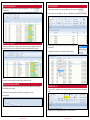
Enable Alarm Panel Mode
Checking this option enables the STU alarm
panel functionality.
Siren Time
The time the siren will run for after an input has
changed to an alarm state.
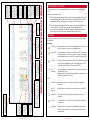
Program Inputs
Alarm panel mode can use up to 10 zones on
the STU.
Manage Users
PIN codes can be allocated up to 32 users.
Write Programming
Once changes are made, to be active on the
STU, a write programming must be conducted.
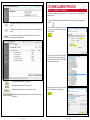
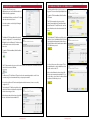
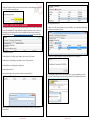
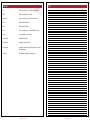
User Name
Allows the Central Station to associate a
name to a user.
Pin
Allows the user to log in with a unique
code which is tailored to their user name
and user number.
Tamper Options
The STU can monitor the cabinet and key switch zones.
These zones are separate from the programmable inputs.
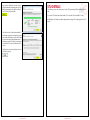
Remote Control
Ticking Allow Remote Arm / Disarm allows operators to control the STU
alarm functionality.
© Inner Range PTY LTD
© Inner Range PTY LTD
Page 47
Multipath IP User Manual Version 5.0
Page 46
Multipath IP User Manual Version 5.0