1
FCC Compliance Statement
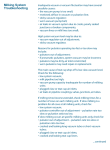
11. Problems with your MiniTest
Before returning your MiniTest for repair, check the following:
•
The unit does not turn on or won’t stay on – replace
batteries.
•
The VAC or PUL light is flashing – Batteries are getting
low.
•
The MiniTest reads vacuum with no vacuum
connected – Disconnect from the vacuum supply and
turn it off and on again to reset the zero. If it still does
not display zero the button sequence below will
manually force the unit to accept the pressure value on
the port as zero:1. Turn the unit on. Select VAC mode.
key. After about 5
2. Press and hold the
seconds both the VAC or PUL lights will turn on.
Do not release the key yet.
3. Press both the
and
keys. The PUL light
should go off indicating the manual zero has
been accepted. Release all keys and check the
display shows 0.0.
•
•
Damaged MiniTest’s should be returned for repair.
There are no user serviceable parts inside the case,
and opening it may void your warrantee.
This device complies with Part 15 of the FCC rules. Operation is subject
to the following two conditions:
1. This device may not cause harmful interference, and
2. This device must accept any interference received, including
interference that may cause undesired operation.
Declaration of Conformity
Standards to which Conformity is Declared:
•
•
•
•
EN55011:1998
EN50082-1:1997
EN 61000-4-2
EN 61000-4-3
Manufacturer’s Name:
InnovAg Pty. Ltd.
Manufacturer’s Address:
82 Victoria St.
Sandringham
Victoria 3191
Australia
Type of Equipment:
Pulsation Tester/ Vacuum Gauge
Brand Name:
MiniTest
Model Number:
DR40-0080
I, the undersigned, hereby declare that the equipment specified above
conforms to the above Directives and Standards.
If you have a question or problem you cannot solve,
contact InnovAg or your local distributor.
Signature
Braham Basser
Director
InnovAg Pty. Ltd
10
© Copyright InnovAg 1996-2003
Date: 30 October 2001