1
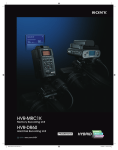
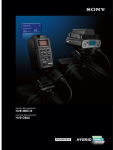
The HVR-DR60 folder structure differs from CompactFlash media in that the HVR-MRC1K
creates a new folder with an associated movie file each time a recording begins.
For long clips that exceed the FAT32 file size specification, subsequent files are stored in
the same folder.
For ingest into Vegas, the Sony Recording Unit Utility software (available as a free
download from the Sony Website) provides streamlined transfer of files from a
CompactFlash card or HVR-DR60. The software will reconnect M2T files that were
divided by FAT32, and will also rename HVR-DR60 files in the same style as those from a
CompactFlash card during the transfer.
Table of Contents
YYYY_MM_DD_HHMMSS
The date and time of the recording (which are derived from the date and time data
settings of the camcorder). Recordings separated due to FAT32 limitations will have new
time data, but retain the same clip number.
1 – Introduction
HDV Workflows in Sony Vegas Pro 8
Please note that the workflows outlined here represent just a few examples of how to
work with the HDV format, and that workflows can vary based on the project and/or
installation.
For more detailed information on any of the software or hardware mentioned in
this document, please refer to the manufacturer-supplied Operations Guide for the
associated product.
5