1
HDV Workflows in Sony Vegas Pro 8
Key Workflow Features and Restrictions
• Support for 1080 50/60i, 24/25/30p and 24pn
• Streamlined import of media from HVR-DR60
• Windows XP ® SP 2
• Sony Vegas Pro® 8.0c+
• Sony Recording Unit Utility software
• CompactFlash card reader or Memory Recording Unit from the camera,
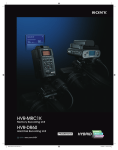
mounted in an i.LINK Cradle (such as the Sony HVR-MRC1K/HVRA-CR1)
2 – Workflow
Overview
System Requirements
• Sony HVR-M35U or equivalent HDV recorder
Connections
• When using CompactFlash media, connect the CompactFlash reader via a
USB 2.0 cable or connect the memory recording unit cradle via an i.LINK
(Firewire) cable.
Table of Contents
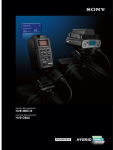
• Sony HVR-DR60 Hard Disk Recording Unit
• When using the Sony HVR-DR60, connect via an i.LINK (Firewire) cable.
• When using HDV videotape, connect the camcorder or deck via an i.LINK
(Firewire) cable.
7