1
Introduction
Imagine having high-quality, extremely low-cost videoconferencing from a
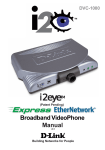
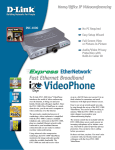
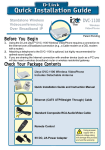
standalone, easy to use communication appliance. The D-Link i2eyeTM
DVC-1000 Broadband VideoPhone accomplishes this. D-Link
i2eyeTM introduces the world of videoconferencing over the Internet, to bring
you and your family, friends and colleagues together, in real time, anytime! The
previously complicated process of conducting a video conference is simplified
with the i2eyeTM DVC-1000. Since the DVC-1000 is a standalone device, you
do not need a computer to video conference over the Internet. The i2eyeTM
DVC-1000 is such a revolutionary leap in technology that D-Link calls it a
VideoPhone. Connect a television for viewing, an optional standard telephone
for privacy, plug in a standard Ethernet network cable connected to your
broadband Internet connection and you are ready to use your i2eye TM
DVC-1000 VideoPhone.
Using advanced video compression technology, the i2eye TM DVC-1000
VideoPhone maximizes the image and audio quality within the available
bandwidth. It is an ideal solution for consumers and small businesses with
high-speed broadband Internet access. There is no delay in waiting for a PC to
boot up before using your i2eyeTM DVC-1000 VideoPhone, and you don’t have
to be a computer expert. Using the Internet, in place of conventional dial-up
phone lines, maximizes your existing broadband investment. The remote control
included with the i2eyeTM DVC-1000 makes it easy to answer an incoming
videoconference call or dial out to initiate your own videoconference. The builtin caller ID provides privacy protection. You know who is calling before you
answer and the audio or video can be turned off whenever desired.
This manual provides the instructions to install and use your D-Link i2eyeTM
DVC-1000 Broadband VideoPhone. Please take a moment to get acquainted
with this manual to make your VideoPhone experience go as smoothly as
possible.
3