1
 PRELIMINARY STAGE
Preparing DiagBox for the installation
of «Multi-Diag® for DiagBox»
► Updating the DiagBox software version
- Open DiagBox
- In the upper banner, check that you have update V06.11 or later
- If not, update the software
- Close DiagBox
► Activating the Bluetooth for X200 / X201 only
For X200 or X201 computers only, you must activate the Bluetooth as follows:
- Switch off then restart the tool fully
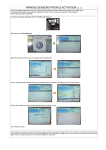
- Start the Bluetooth patch from the menu:
Start\All programmes\PSA Bluetooth Configuration\start’
- A DOS screen indicating that the installation is in progress is displayed.
- On the task bar, a crossed out Bluetooth icon appears in the Windows
notification zone. If it does not appear, it may be hidden.
- The computer restarts automatically on completion of the configuration of the
Bluetooth patch.