1
SVAN 953 USER MANUAL
_
Notice: In the DOSE METER the integration period cannot be set for the value greater than
8 hours.
If the user wants to set AUTO SAVE option (path: MENU / FILE / SAVE OPTIONS / AUTO SAVE)
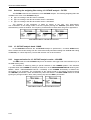
the integration period value has to be greater or equal than 10 seconds. When AUTO SAVE option was
set and new entered integration period value is less than 10 seconds AUTO SAVE option switches off and
the proper message appears on the display.
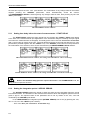
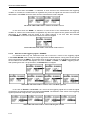
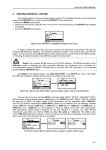
Display, when the INT.PERIOD is too short for AUTO SAVE option
5.1.3
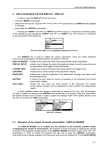
Setting the number of repetition of measurement cycles - REP. CYCLE
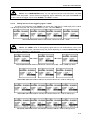
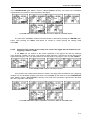
The REP. CYCLE defines the number of cycles (with the measurement period defined
in the INTEGR. PERIOD) which should be performed by the instrument. The required parameter can
be set by means of the <>, <> push-buttons (with the step equal to 1) or by means of the <>, <>
push-buttons pressed together with the <SHIFT> one (with the step equal to 20). The selected value
is accepted by pressing the <ENTER> push-button, which closes the MEASUREMENT SETUP window.
The Inf value denotes the infinite repetition of the measurements (until the pressing the <START / STOP>
push-button or after receiving the remote control code). The REP. CYCLE number values are within
the limits [1, 1000].
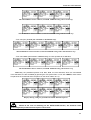
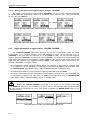
MEASUREMENT SETUP windows; REP. CYCLE setting with the step equal to one
...
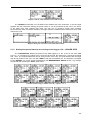
MEASUREMENT SETUP windows; REP. CYCLE setting with the step equal to 20
5.1.4
Logger functionality switching On / Off - LOGGER
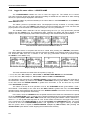
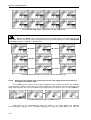
The LOGGER switches on and off the functionality, which enables the user to save in a file
the selected results from three profiles with the defined period. The LOGGER can be activated and
deactivated by means of the <>, <> push-buttons and accepted by the <ENTER> one.
The acceptation closes simultaneously the MEASUREMENT SETUP window. Any changes are ignored
after pressing the <ESC> push-button.
5-4