1
FA1600C/CA/CB Installation and Setup Guide
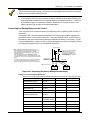
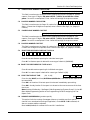
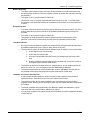
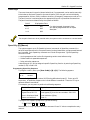
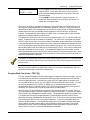
SCAN LOG BY PART
0=NO 1-8=PART #
The system allows viewing of any partition's event log. Enter
the partition number for the partition whose events are to be
displayed. Entering 0 (NO) will display all events that occurred
in the system, regardless of partition. Events are displayed in
chronological order, from most recent to oldest.
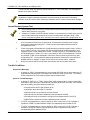
For display and printing purposes, events are stored on a
partition-by-partition basis (except system events), and are
grouped into five categories, as follows.
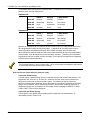
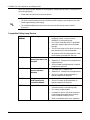
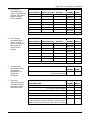
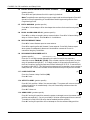
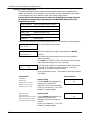
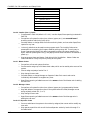
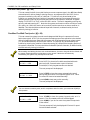
Use the [3] & [1] keys to scroll to the next and previous screens respectively:
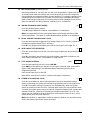
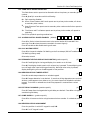
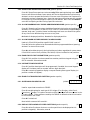
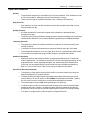
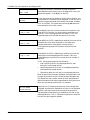
ALARM EVENT LOG
TYPE
CCC UUU
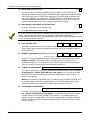
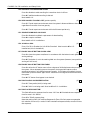
CHECK EVENT LOG
TYPE
CCC UUU
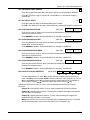
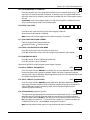
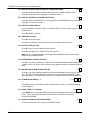
BYPASS EVENT LOG
TYPE
CCC UUU
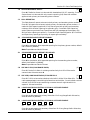
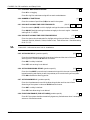
OP/CL EVENT LOG
TYPE
CCC UUU
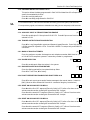
SYSTEM EVENT LOG
TYPE
CCC UUU
ALL EVENT LOG
TYPE
CCC UUU
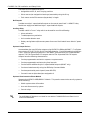
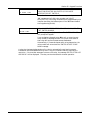
Displays time/date for zones that have caused a trouble or
supervisory condition in selected partition.
Displays time/date for zones that have been bypassed in
selected partition.
Displays time, date, and user number for each arming and
disarming of the system for the partition selected.
Displays time/date for system conditions, such as AC loss,
communication failure, etc., regardless of partition.
Displays all categories of events in chronological order, from
most recent to oldest.
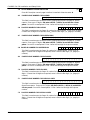
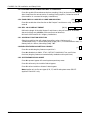
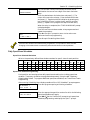
Displays all test events.
TEST EVENT LOG
TYPE
Displays time/date for zones that have either caused an alarm
or have been restored in selected partition.
CCC UUU
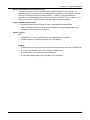
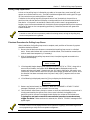
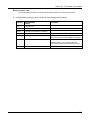
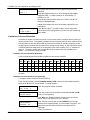
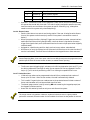
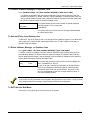
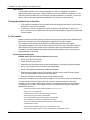
To display the events in a particular category, press [8] at the desired category screen.
If in Display Mode, the most recent event is displayed. Press [1] to display older events; press
[3] to go forward in time.
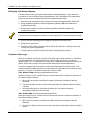
If in Print Mode, the first press of [8] will cause the printer to print all events in that
category, with each event automatically scrolled on the display keypad. The following is a
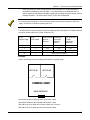
typical display:
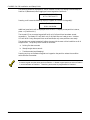
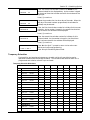
P8 01/01
BURGLARY
12:02A
003
Shows burglary alarm occurred in zone 3 of Partition 8, at
12:02AM on January 1.
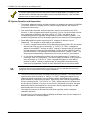
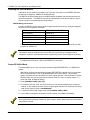
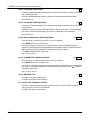
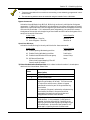
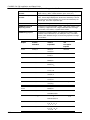
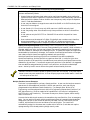
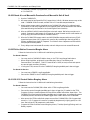
After the last event in the selected category has been displayed (using either the [1] or [3]
keys), the following will appear for a few seconds:
END OF EVENT LOG
TYPE
18-4
CCC UUU