1
EUROCONTROL EXPERIMENTAL CENTRE
EEC NOTE No 28 /97
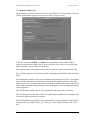
10.2.6 Attach CASA regulation to a flow
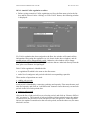
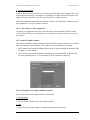
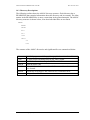
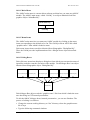
• Before trying to attach a CASA regulation to a flow, the flow must exist in the list
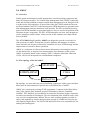
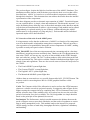
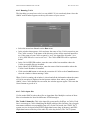
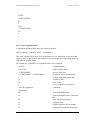
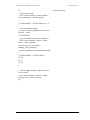
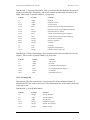
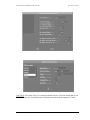
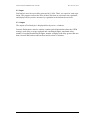
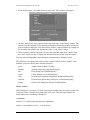
box and be selected. After clicking on “Edit CASA” button, the following window
is displayed:
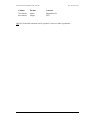
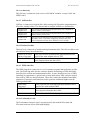
If a CASA regulation has been assigned to the flow, the window will contain all the
information concerning the regulation (as it is shown in the above window), and all
modifications will be automatically saved. Otherwise, the window will be empty
except for the regulation ID, start time and end time that are inherited directly from the
flow, plus a new button “Accept Regul”.
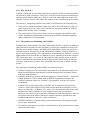
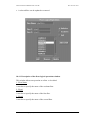
Each CASA regulation is identified with:
• a regulation ID which is the same as the flow name
• and a list of contiguous sub-periods with their corresponding capacities
Three modes of operations are used:
• Adding sub-periods
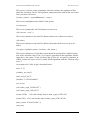
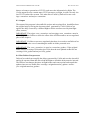
a sub-period is identified by a start time, end time and capacity. First enter the start, end
time and capacity and click on “Add Sb Period” button to insert the newly created subperiods in the list of sub-periods box.
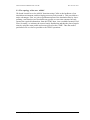
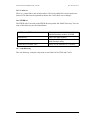
• Remove sub-periods
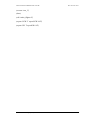
click on the list of sub-periods box to select the period, and click on “Remove Sb Periods” to remove it. The removal of sub-period has a chain reaction because the update
is transferred to the previous or next sub-period. If the sub-period is at the top of the
list box, the update is transferred to the next sub-period, and in the other case, the transmission is reverse.
AMOC: ATFM Modelling Capability
57